Jira Service Management costs $20 per agent per month. Jira Software costs $7.91. If your team already lives in Jira and you just need a way to handle support emails without buying a separate product, the math doesn't add up.
We tested this with agencies managing 50+ client accounts. Most of them don't need a customer portal, SLA timers, or ITIL workflows. They need incoming emails to become Jira tickets. That's it.
This guide covers three approaches: Jira's native email handler (free but limited), Jira Service Management (expensive but full-featured), and Casso + Jira Software (cheap and actually works for email-heavy teams).
Why do teams use Jira instead of a traditional helpdesk?
Teams that already use Jira for project management don't want a separate tool for support. Support tickets that turn into engineering work need to live in Jira anyway, and context-switching between two platforms wastes time. Jira's flexibility — custom workflows, boards, issue types — makes it a surprisingly capable helpdesk if the email integration works.
Three reasons this keeps coming up:
Cost. Jira Service Management Standard costs $20 per agent per month. Jira Software Standard is $7.91 per user per month. For a team of 10, that's $2,400/year vs $949/year. If you don't need a customer-facing portal or SLA tracking, that's a hard premium to justify.
| Tool | Price | Billing Model | Best For |
|---|---|---|---|
| Jira Software | $7.91/user/mo | Per user | Teams already in Jira |
| Jira Service Management | $20/agent/mo | Per agent | Full helpdesk with portal |
| Casso + Jira Software | $10/mo flat + Jira | Flat rate | Email-heavy support teams |
| Zendesk | $19-115/agent/mo | Per agent | Dedicated support orgs |
| Freshdesk | $15-79/agent/mo | Per agent | SMB support teams |
Workflow continuity. When a support ticket becomes a bug or feature request, it needs to move into a sprint. With Jira, that's a status change. With Zendesk, it's a copy-paste into a different system.
Existing investment. Your team knows Jira. Your automations, dashboards, and reports already exist. Adding a helpdesk on top of Jira is less disruptive than migrating to a separate platform.
How do you set up Jira's native email handler?
Jira has a built-in incoming mail handler that creates issues from emails, but it requires Jira Server or Data Center — it's not available in Jira Cloud. For Jira Cloud, you need either Jira Service Management's email channel or a third-party tool like Casso.
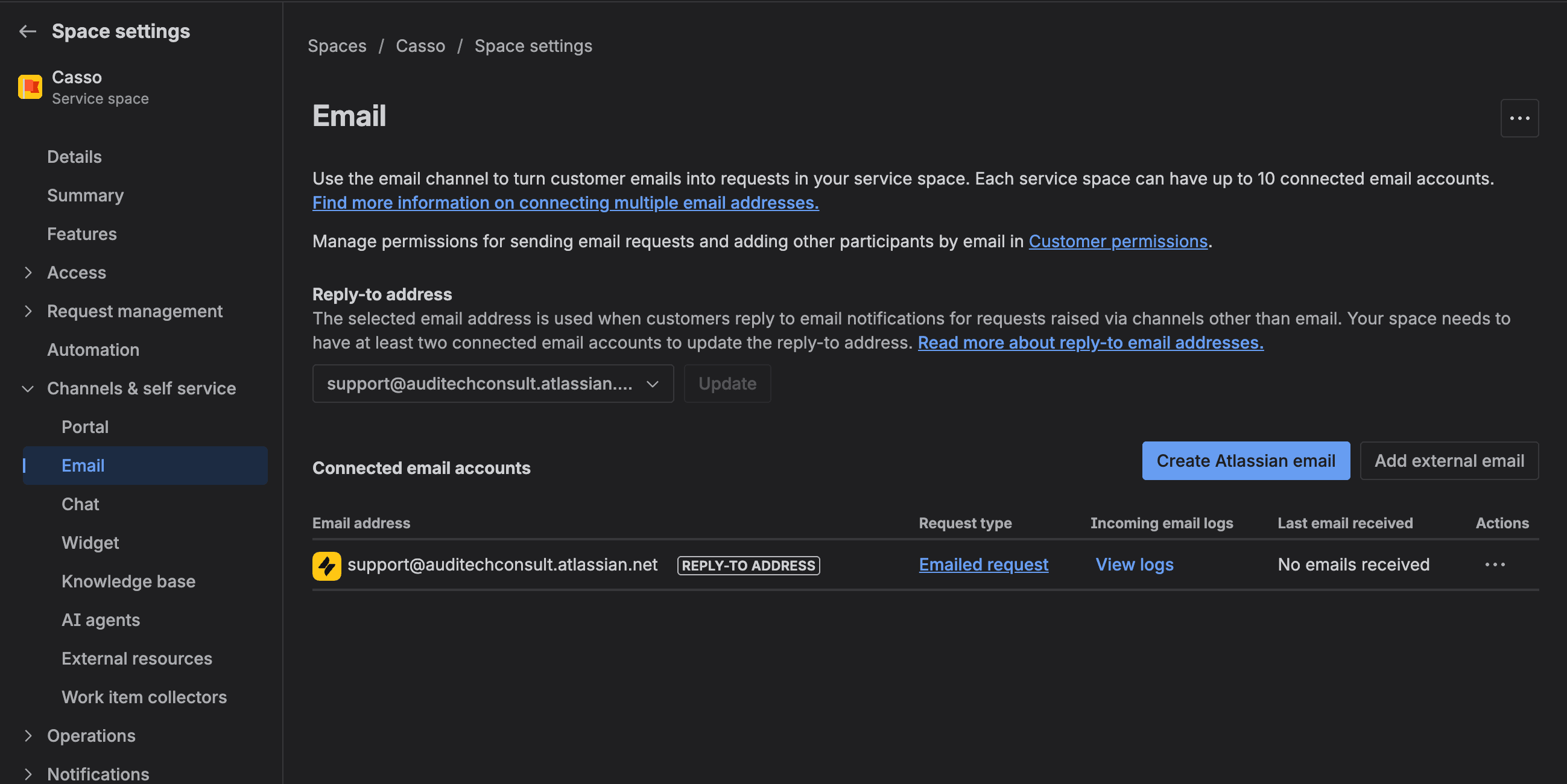
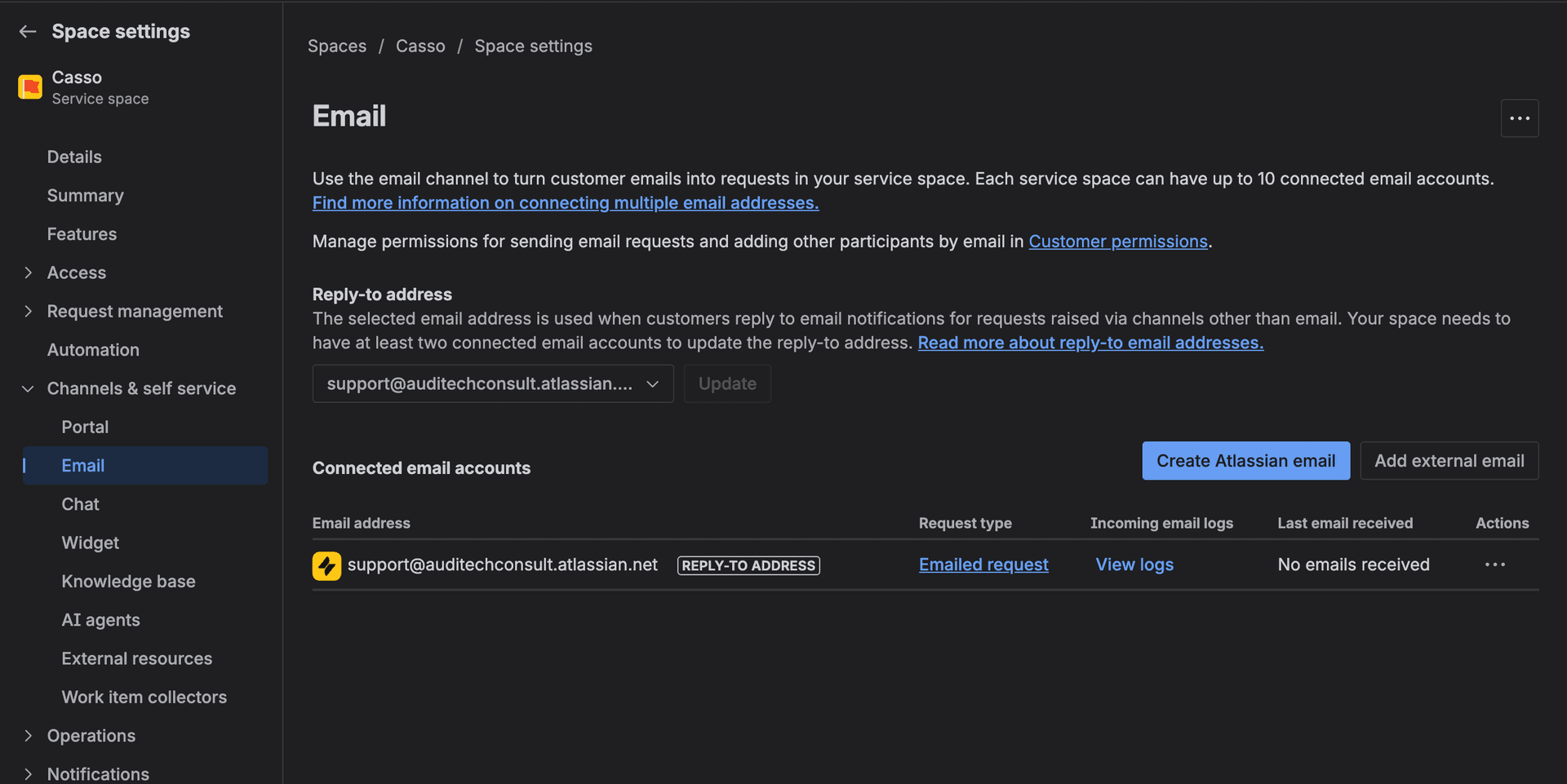
Jira Cloud (via JSM Email Channel)
Even if you're trying to avoid paying for JSM, Atlassian's free tier gives you 3 agents. If you have a small team, this might work:
- Go to Project Settings → Channels → Email
- Add your support email address
- Configure the default issue type and priority
- Enable "Strip Quotes" (more on why this doesn't work well in the next section)
Jira Server/Data Center (Mail Handler)
- Go to Administration → System → Incoming Mail
- Add a mail server (IMAP/POP3)
- Create a handler that maps emails to projects and issue types
- Configure field mapping (Subject → Summary, Body → Description)
What Jira captures from email
- Subject line → Issue summary
- Email body → Description (as one unformatted block)
- Attachments → Attached to the issue
- Sender → Reporter field
That's it. No priority detection, no due date extraction, no thread parsing. Every email becomes a wall of text.
What does Jira's email handler get wrong?
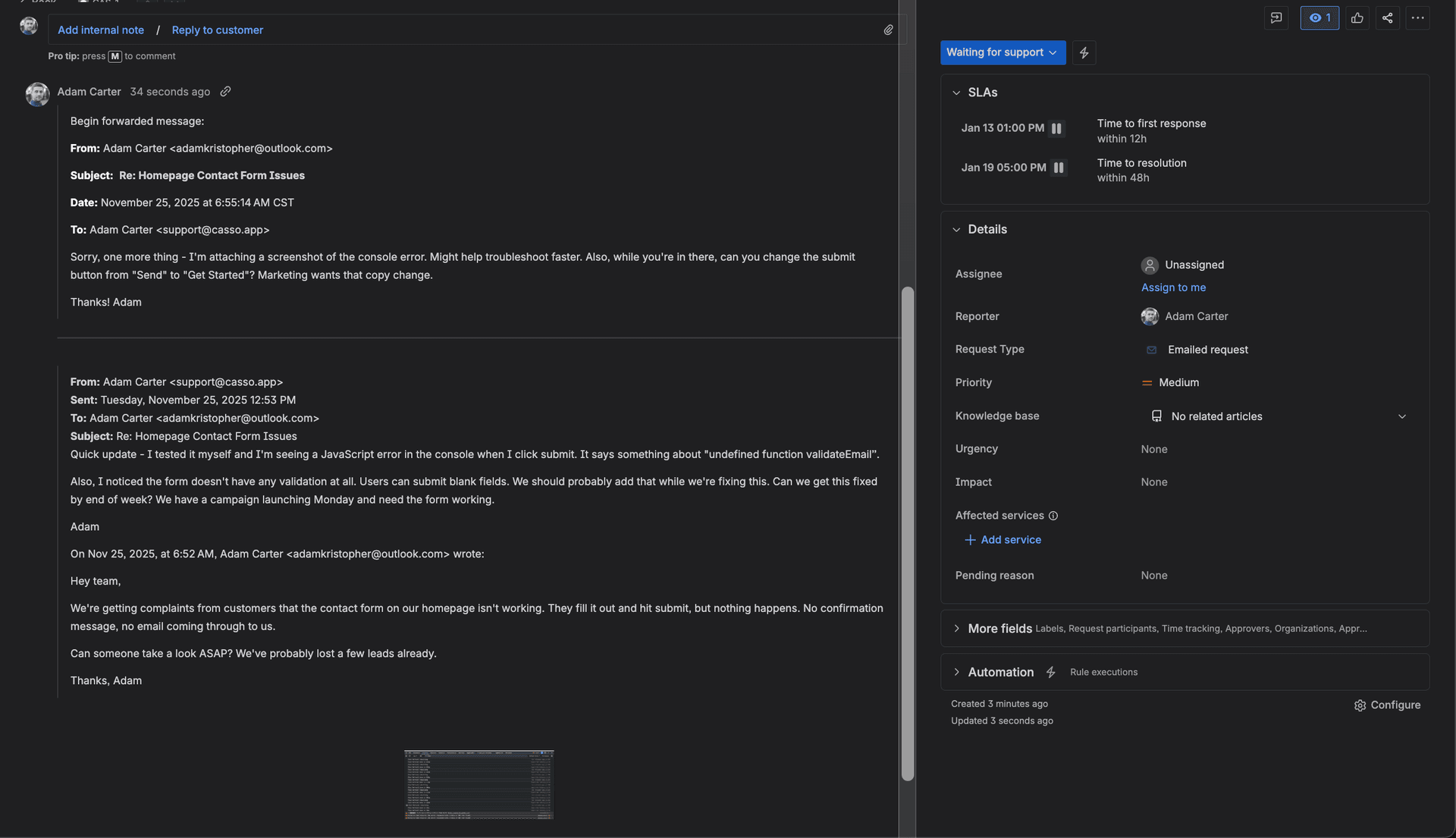
Jira's native email-to-ticket feature dumps the entire email thread as unformatted text, doesn't parse replies into separate comments, and ignores due dates and priority cues in the email body. For one-off emails this is fine. For ongoing client conversations, it creates an unreadable mess.
Thread parsing doesn't exist
Jira's "Strip Quotes" setting sounds like it parses email threads. It doesn't. It uses regex to remove lines starting with > or | characters. If the email client formats replies differently — and most do — you get the full blob.
"Strip Quotes: Removes quoted text (previous email replies) from incoming emails — regex-based removal, NOT semantic parsing." — Jira documentation
CC recipients disappear
CC'd stakeholders on the email? Jira drops them. The To and CC fields aren't captured in any usable way.
"Simply adding the TO/CC field info to the description would solve this situation for us, but I can't see any way to do that." — Jake D., Monday.com Community (the problem is identical across PM tools)
No AI-powered enrichment
Jira doesn't read the email content for context. If a client writes "this is urgent, need it by Friday," Jira creates a normal-priority ticket with no due date. You fill those fields in manually.
Duplicate issues from reply threads
When email threading headers get stripped (common with forwarded emails or certain email clients), replies create new issues instead of adding comments to the existing one.
"Creates new issues rather than adding comments to existing ones." — Dan Froelich, Atlassian Community
| Capability | Jira Native | Jira + Casso |
|---|---|---|
| Create ticket from email | ✅ | ✅ |
| Thread → separate comments | ❌ | ✅ |
| AI summary | ❌ | ✅ |
| Priority detection from content | ❌ | ✅ |
| Due date extraction | ❌ | ✅ |
| CC/To capture | ❌ | ✅ |
| Attachment sync | Basic | Full |
| Route to existing issue | ✅ (issue key only) | ✅ (issue key or URL) |
How do you set up email-to-Jira with Casso?
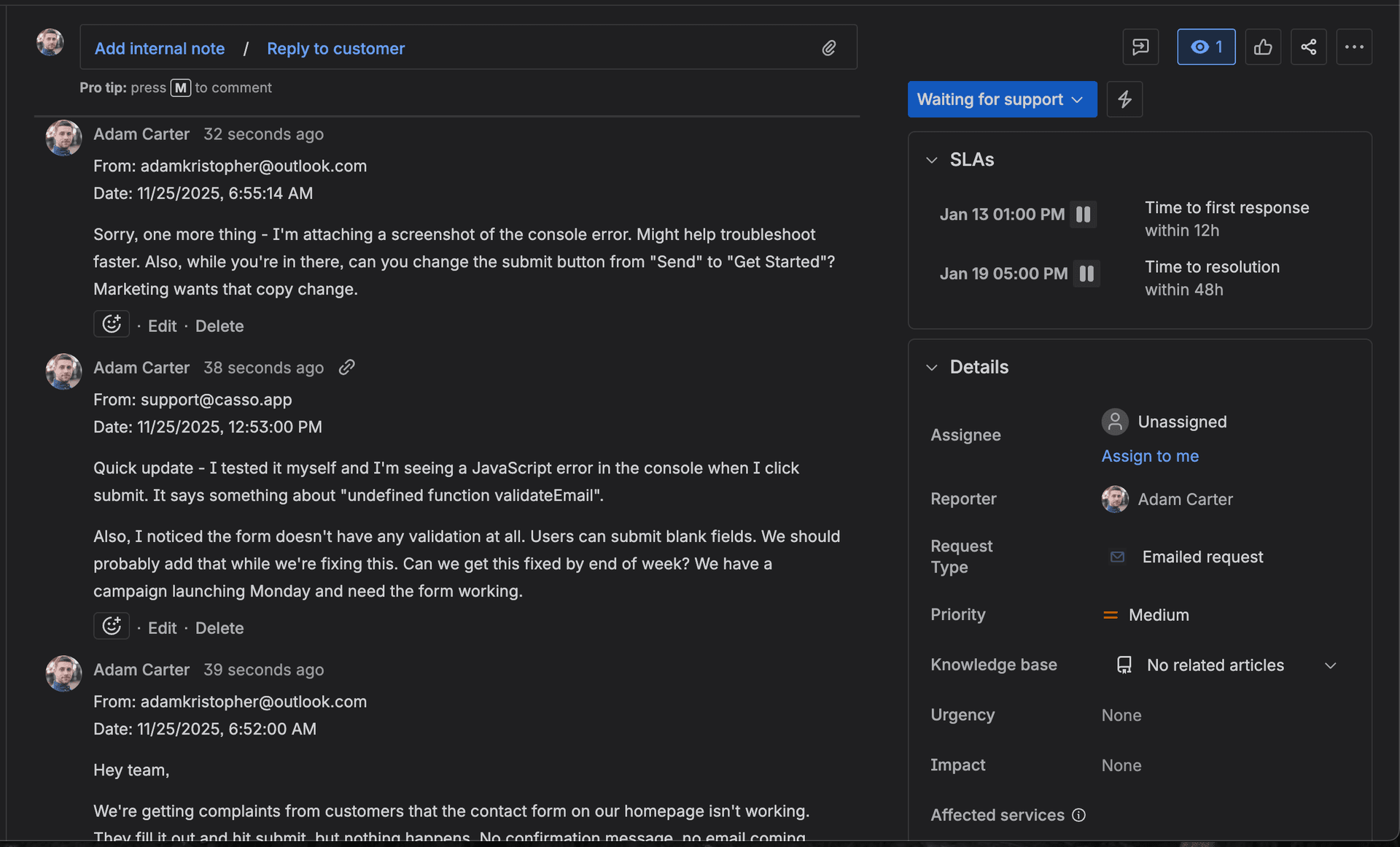
Forward any email to your Casso address and AI creates a structured Jira ticket in under 30 seconds — with a summary, priority, due date, and each reply parsed into separate comments. No plugins, no extensions, no Zapier. Just email forwarding.
Step 1: Create your Casso account
Sign up at casso.app. Free tier includes 10 emails per month. No credit card required.
Step 2: Connect Jira
Go to your Casso dashboard and connect Jira with your API token. You'll need:
- Your Atlassian site URL (e.g., yourteam.atlassian.net)
- An API token from id.atlassian.com
- Your project key
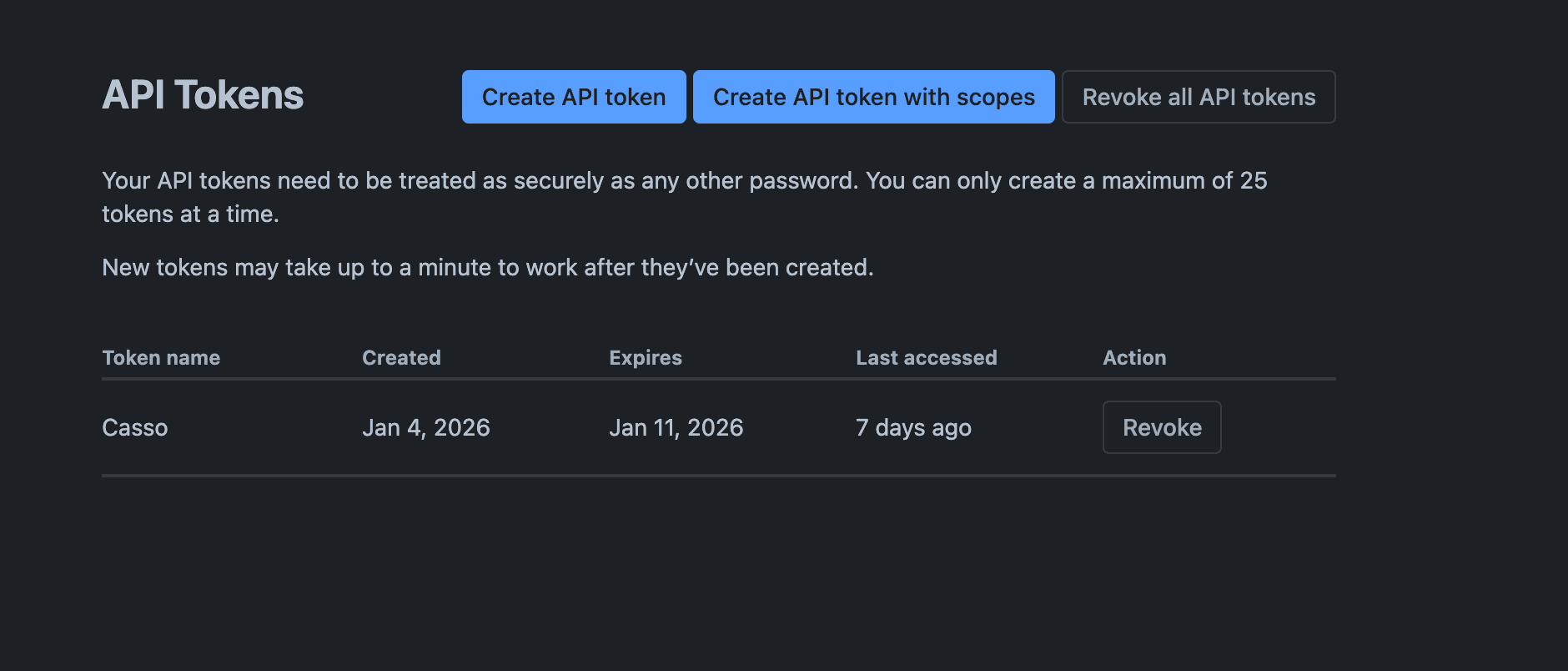
The connection takes about 2 minutes. Casso verifies the token and pulls your projects and issue types.
Step 3: Get your forwarding address
Casso gives you a unique email address per organization. It looks something like yourteam@casso.app.
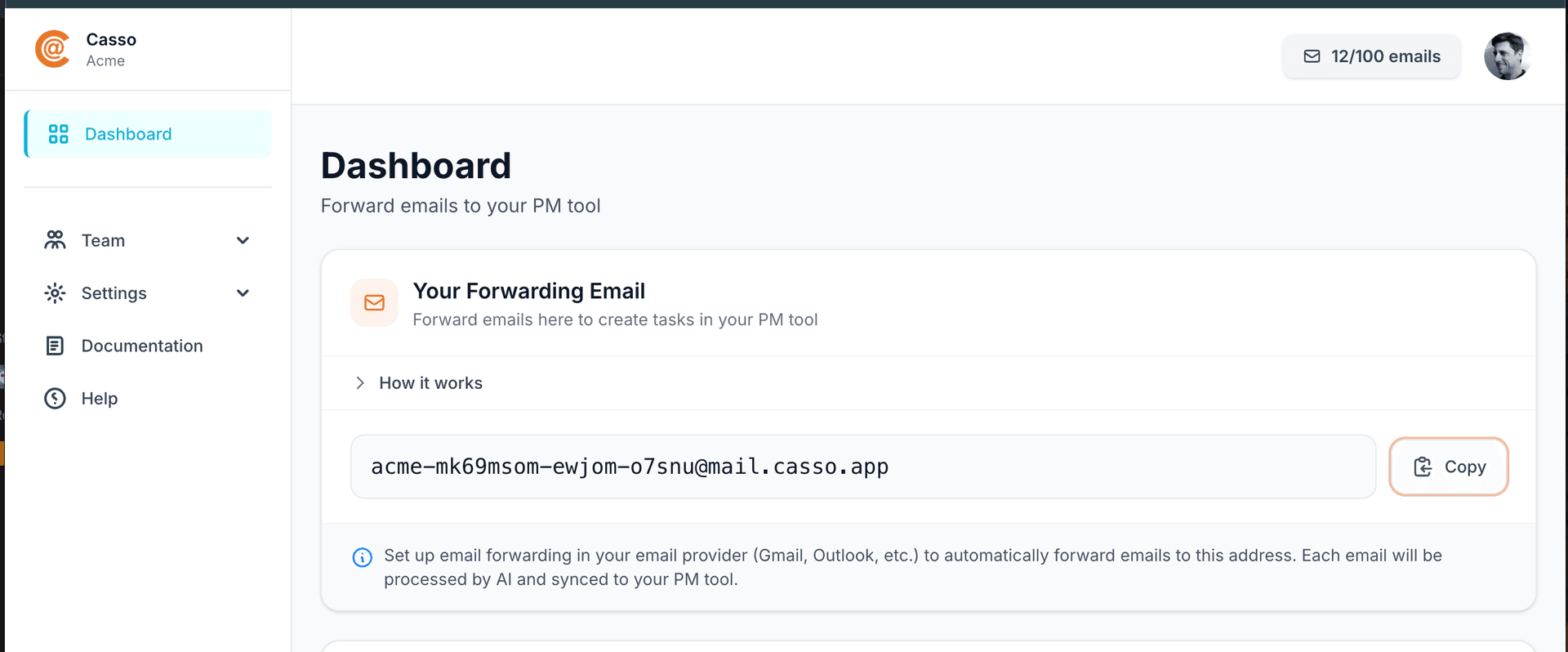
Step 4: Set up auto-forwarding
Gmail:
- Go to Settings → See all settings → Forwarding and POP/IMAP
- Add your Casso address as a forwarding address
- Confirm the verification email
- Create a filter: From contains
@clientdomain.com→ Forward to Casso
Outlook:
- Go to Settings → Mail → Rules
- Create a new rule
- Condition: From contains your client's domain
- Action: Forward to your Casso address
Or skip auto-forwarding entirely — just manually forward emails when you want to create a ticket. Most teams start here and automate later.
Step 5: Forward a test email
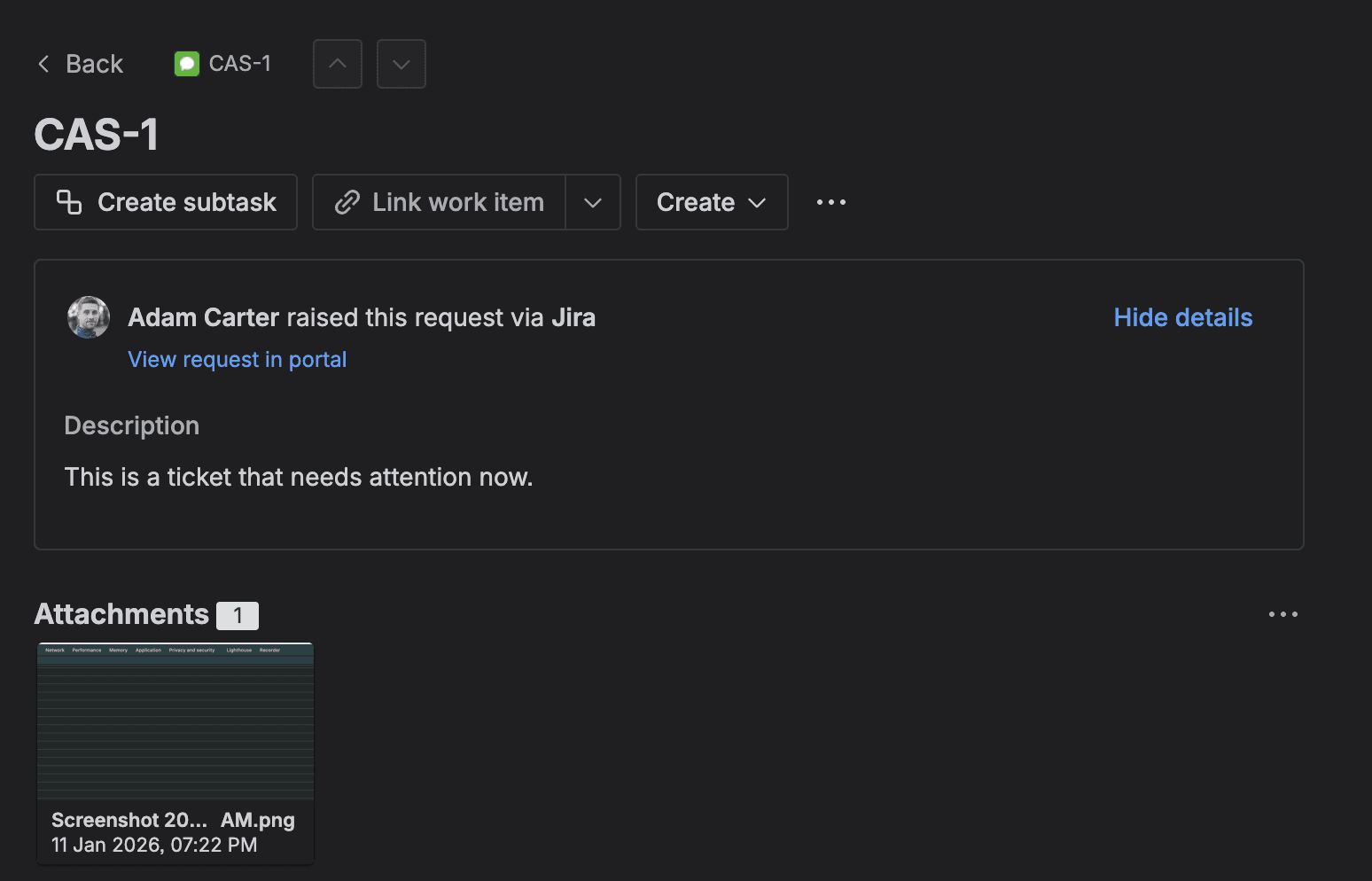
Forward an existing client email to your Casso address. Within 30 seconds you'll get a confirmation email with a link to the Jira ticket.
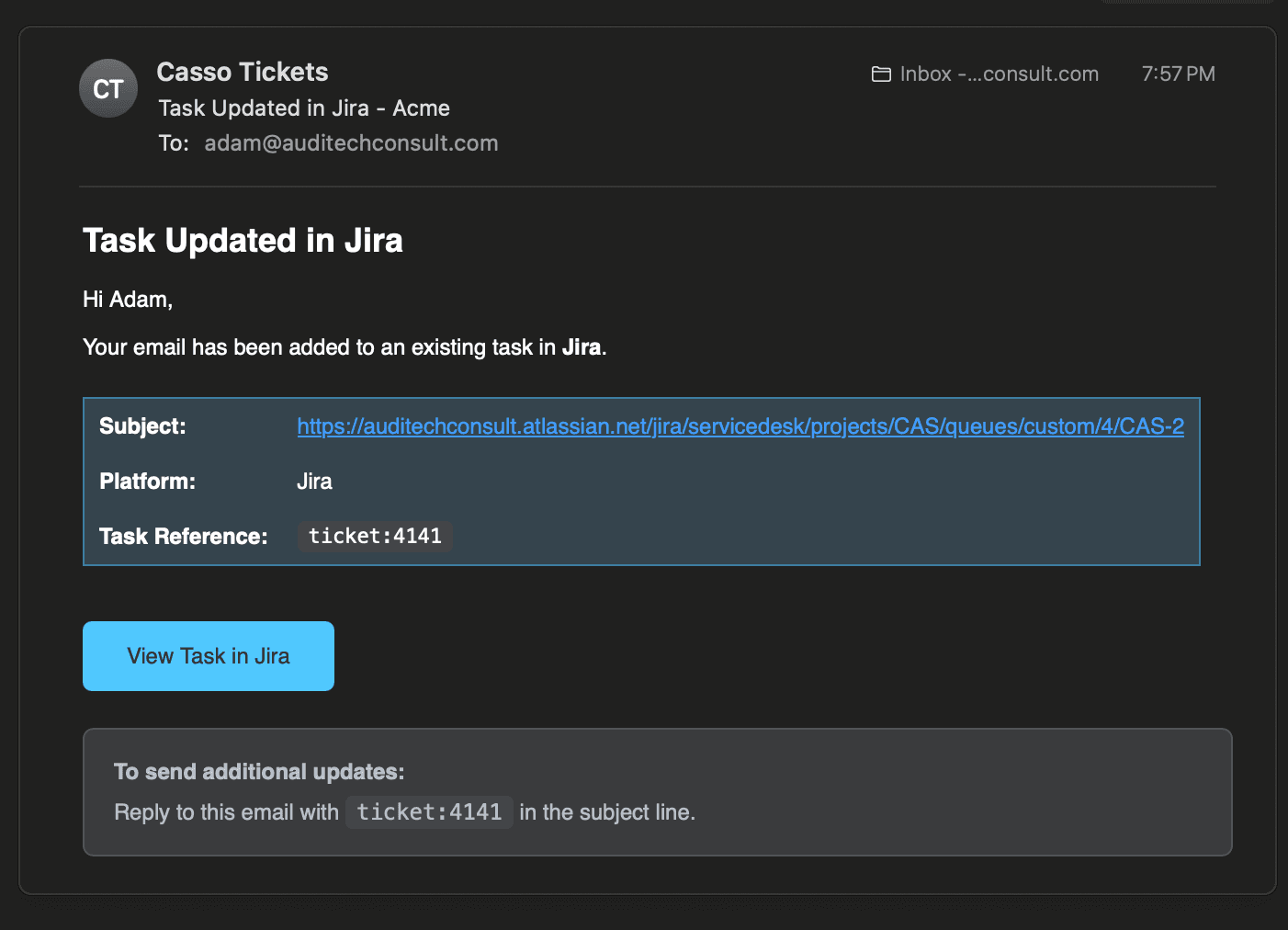
Open the ticket. You'll see:
- AI-generated summary as the description
- Priority set based on the email's language
- Due date extracted if one was mentioned
- Each reply in the thread as a separate comment
- All attachments synced
How do BCC and CC workflows help support teams?
BCC and CC workflows let you capture client emails as Jira tickets automatically, without changing how you communicate. BCC is invisible to the client. CC keeps them in the loop. Auto-forwarding rules make it fully hands-free.
BCC: The invisible capture
When you reply to a client, BCC your Casso address. The email thread becomes a Jira ticket without the client knowing you're using a ticketing system.
This is the most popular workflow for agencies. Clients email normally. You respond normally. Jira gets updated automatically.
CC: Keep the client in the loop
CC your Casso address when you want the client to see that a task was created. Casso creates the ticket and includes the CC'd parties in the ticket metadata.
Auto-forwarding: Fully hands-free
Set up an email rule that auto-forwards anything from specific clients or to your support@ address. Every inbound email becomes a ticket automatically.
| Workflow | How It Works | Client Sees Casso? | Auto-Threads? |
|---|---|---|---|
| Just Forward It | Forward any email to Casso | No | No |
| BCC (Sneaky One) | BCC Casso when you send, forward replies with ticket:xxxx | No | No |
| CC (Fancy One) | CC Casso with ticket:xxxx in subject — replies auto-route | Yes | Yes |
How does updating existing Jira tickets via email work?
Include the Jira issue key (like PROJ-123) or the ticket URL in the email subject line, and Casso routes the email to the existing ticket as a new comment instead of creating a duplicate. This works with forwards, BCC, and CC.
This is where Casso and Jira's native routing actually complement each other. Jira already supports issue key routing — put PROJ-123 in the subject and Jira knows where to send it. Casso extends this by:
- Also accepting the full Jira ticket URL in the subject
- Parsing the email thread into separate comments on the existing ticket
- Adding new attachments to the existing ticket
- Updating priority if the language indicates escalation
In practice, this means your team can forward follow-up emails to existing tickets without worrying about duplicates. The AI figures out what's new and what's a quoted reply.
When should you actually use Jira Service Management instead?
Use Jira Service Management when you need a customer-facing portal, SLA tracking with breach notifications, ITIL-compliant workflows, or you have more than 10 dedicated support agents. For everything else, Jira Software + Casso is faster and cheaper.
JSM makes sense when:
- Customers need to self-serve. JSM's portal lets customers submit requests, track status, and browse a knowledge base. If you need this, Casso doesn't replace it.
- SLAs are contractual. JSM tracks response time and resolution time with breach notifications. If missing an SLA means losing a client, you need this built in.
- ITIL compliance is required. Change management, problem management, incident management — JSM has these workflows baked in. Jira Software doesn't.
- Your support team is large. Above 10 agents, the collaboration features in JSM (queues, assignment rules, virtual agents) start justifying the per-agent cost.
For teams under 10 people who handle support through email and don't need a customer portal? Jira Software + Casso gets you 80% of JSM's functionality at a fraction of the cost. You're paying $10/month flat instead of $20 per agent.
FAQ
Can Jira handle customer-facing support?
Jira Software alone doesn't include a customer-facing portal. Jira Service Management adds a portal, knowledge base, and customer request tracking. If you only need internal ticket management from email, Jira Software is sufficient. If customers need to log in and track their own requests, you need JSM or a dedicated helpdesk.
How much does it cost to use Jira as a helpdesk?
Jira Software Standard costs $7.91 per user per month. Adding Casso for email-to-ticket automation costs $10 per month flat (no per-user fees). Total for a 5-person team: $49.55/month. The equivalent JSM setup would cost $100/month. Zendesk Suite Team would cost $95/month.
Can I migrate from Zendesk to Jira?
Yes, but it's a manual process. Atlassian offers a migration guide and there are third-party tools that export Zendesk tickets to CSV for Jira import. The email workflow is the easy part — once you have Casso connected, all new emails flow into Jira automatically. The hard part is historical data.
Does Jira support email threading?
Jira Service Management uses email headers (References, In-Reply-To) for basic threading. When headers get stripped — which happens often with forwarded emails — replies create new issues. Jira Software's mail handler has even less reliable threading. Casso solves this by parsing threads before creating or updating the Jira ticket.
What's the difference between Jira Software and Jira Service Management?
Jira Software is built for development teams (sprints, boards, backlogs). Jira Service Management adds helpdesk features on top: customer portal, email channel, SLA tracking, queues, ITIL workflows. JSM costs about 2.5x more per user. For email-to-ticket workflows without the portal, Jira Software + Casso covers the gap.
The bottom line
Jira works as a helpdesk if you solve the email integration problem. The native email handler creates tickets but destroys email threads and ignores context. JSM solves some of this but costs $20/agent/month for features many teams don't need.
The fastest way to test this: sign up for a free Casso account, connect Jira, and forward a real client email. You'll see the difference in how the thread gets parsed in about 30 seconds.
Try it free — forward an email, see a structured Jira ticket →
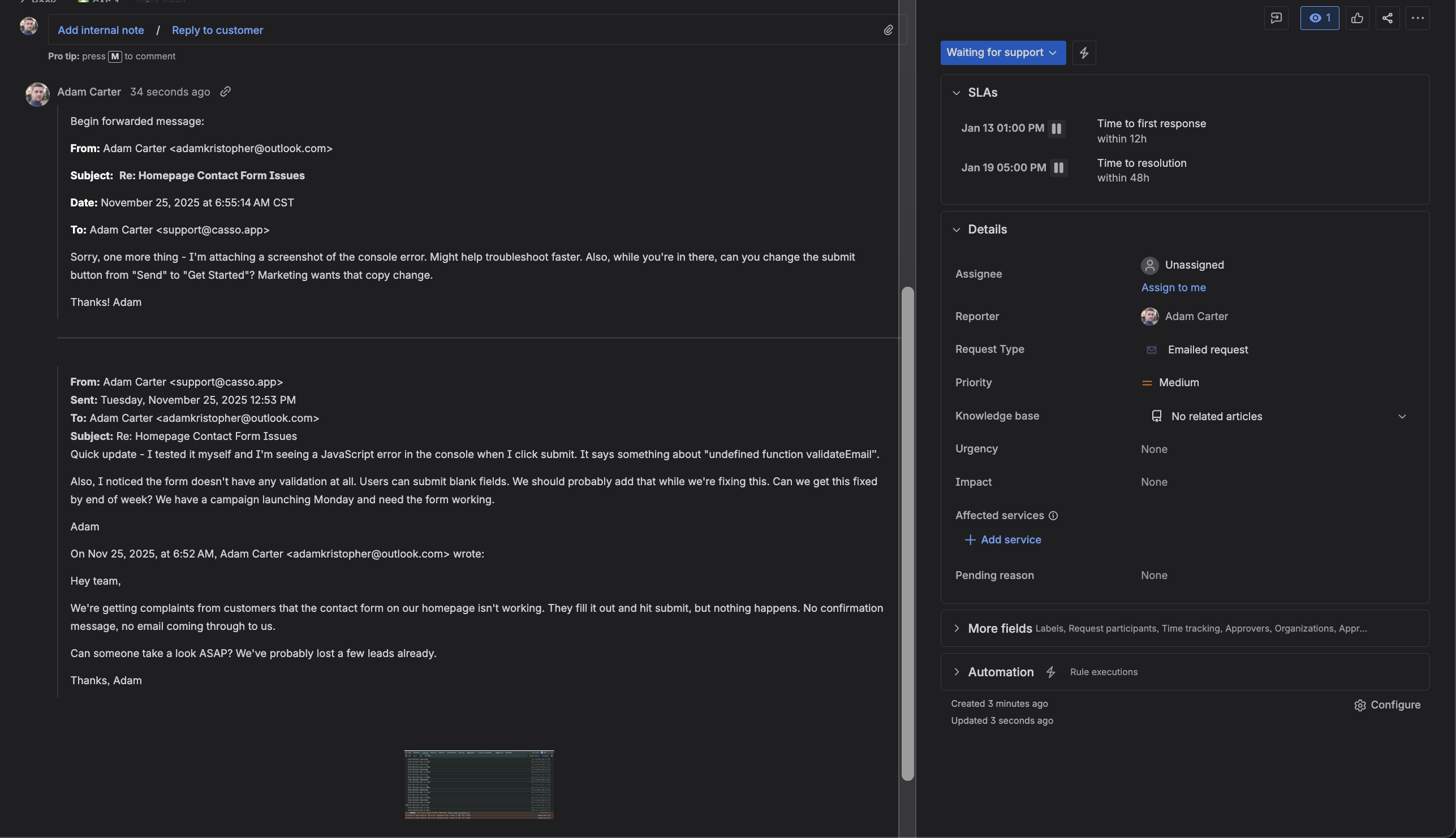
Before: Jira email blob dump !Jira comment showing email blob dump
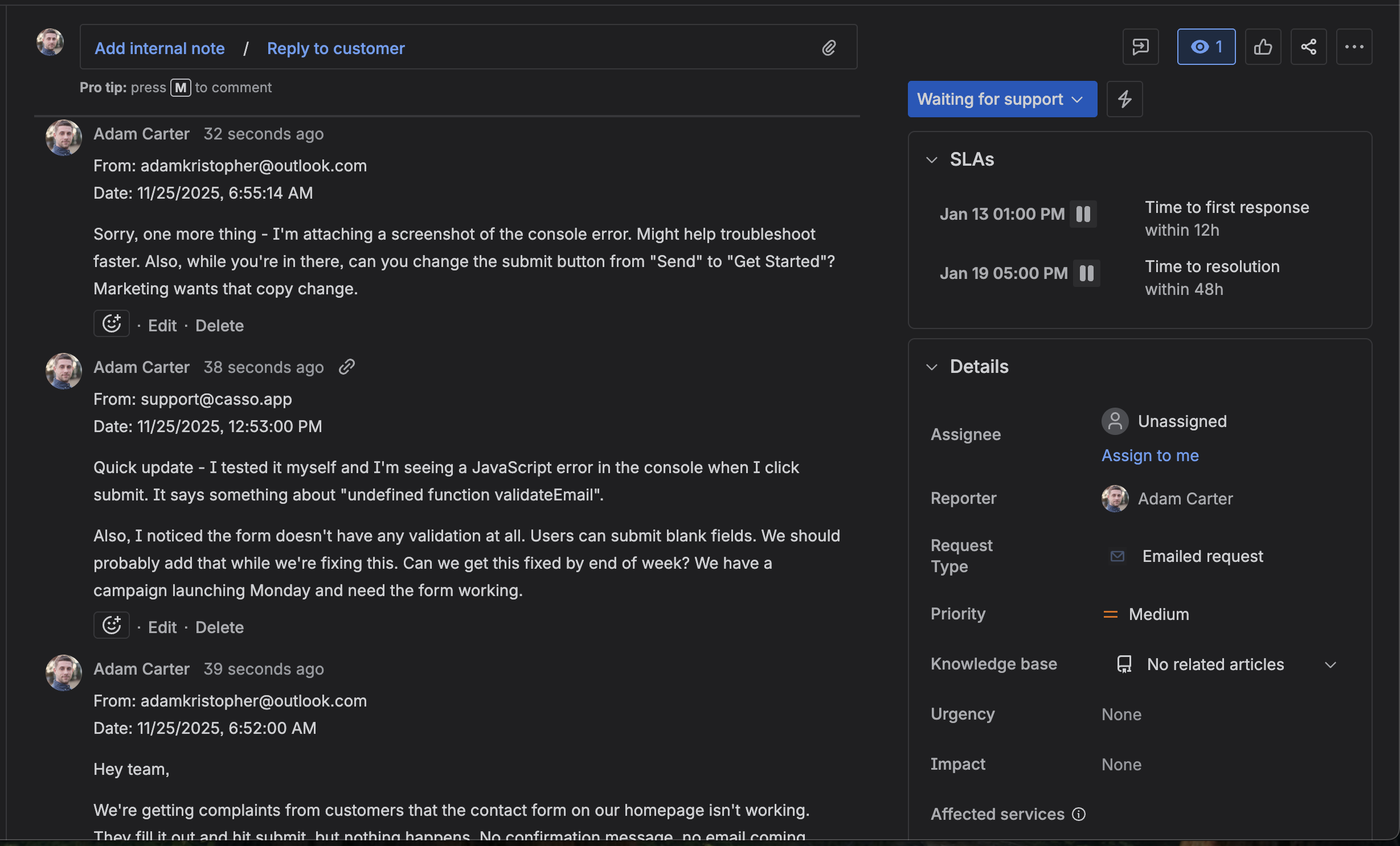
After: Casso-processed separate comments !Casso parsed email thread into separate Jira comments