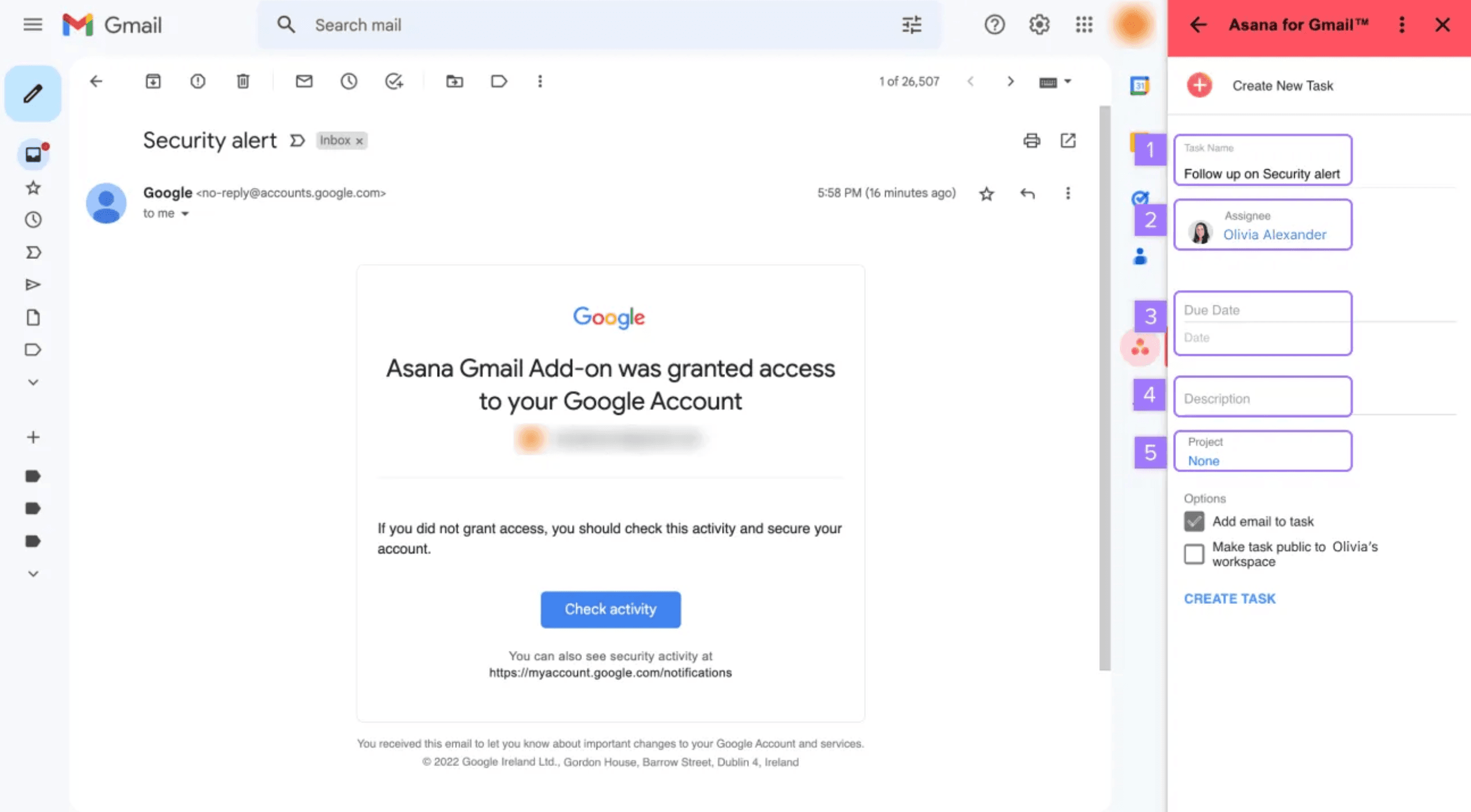
Asana's email-to-task feature lets you forward emails to create tasks. Simple in theory. But if you've tried it, you've probably hit the walls: every email creates a new task, threads dump as one blob, and there's no way to update an existing task from email.
This guide covers what actually works, what doesn't, and how to fix the gaps.
How Asana Email-to-Task Actually Works
Two methods exist:
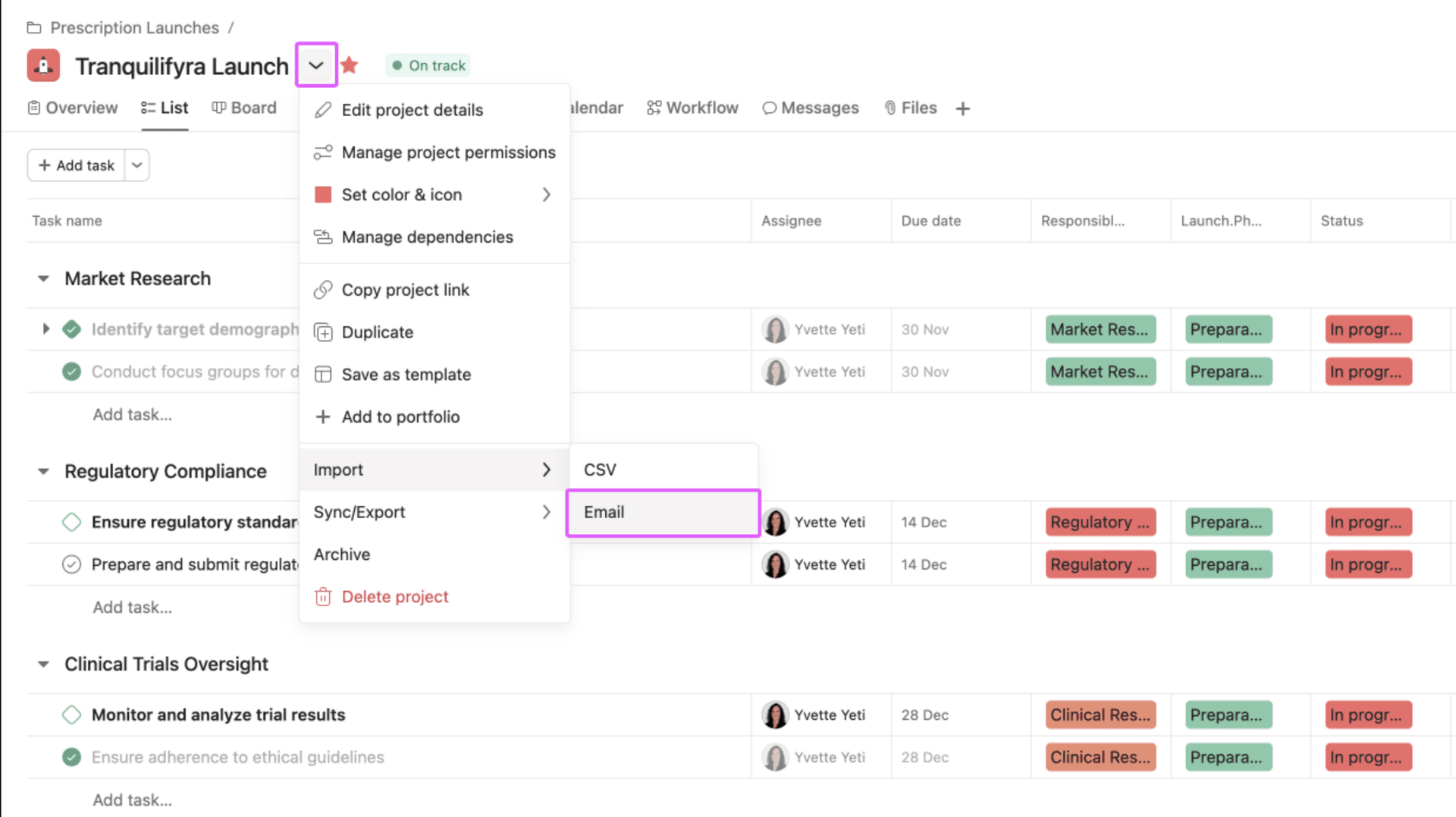
Method 1: Email Forwarding
- Every Asana project has a unique email address (x@mail.asana.com)
- Forward any email to it
- Subject line becomes the task name
- Body becomes the task description
- Attachments transfer
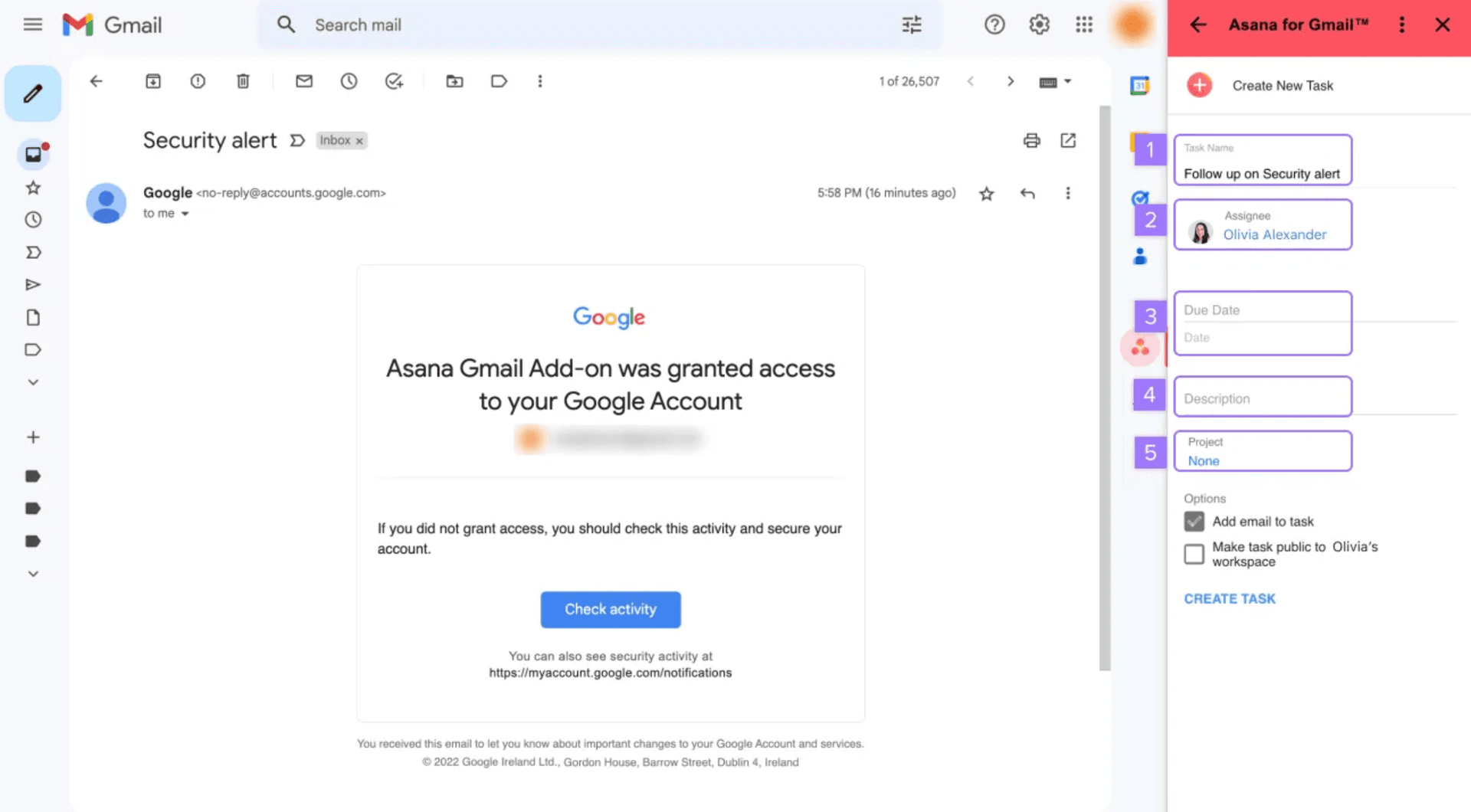
Method 2: Gmail/Outlook Add-on
- Click "Add to Asana" from your email
- Select project and assignee
- Creates task with email content
Both work for creating new tasks. Neither solves the real workflow problems.
The Limitations (What Asana Doesn't Do)
These aren't edge cases. They're the top-voted requests on Asana's forum for 7+ years:
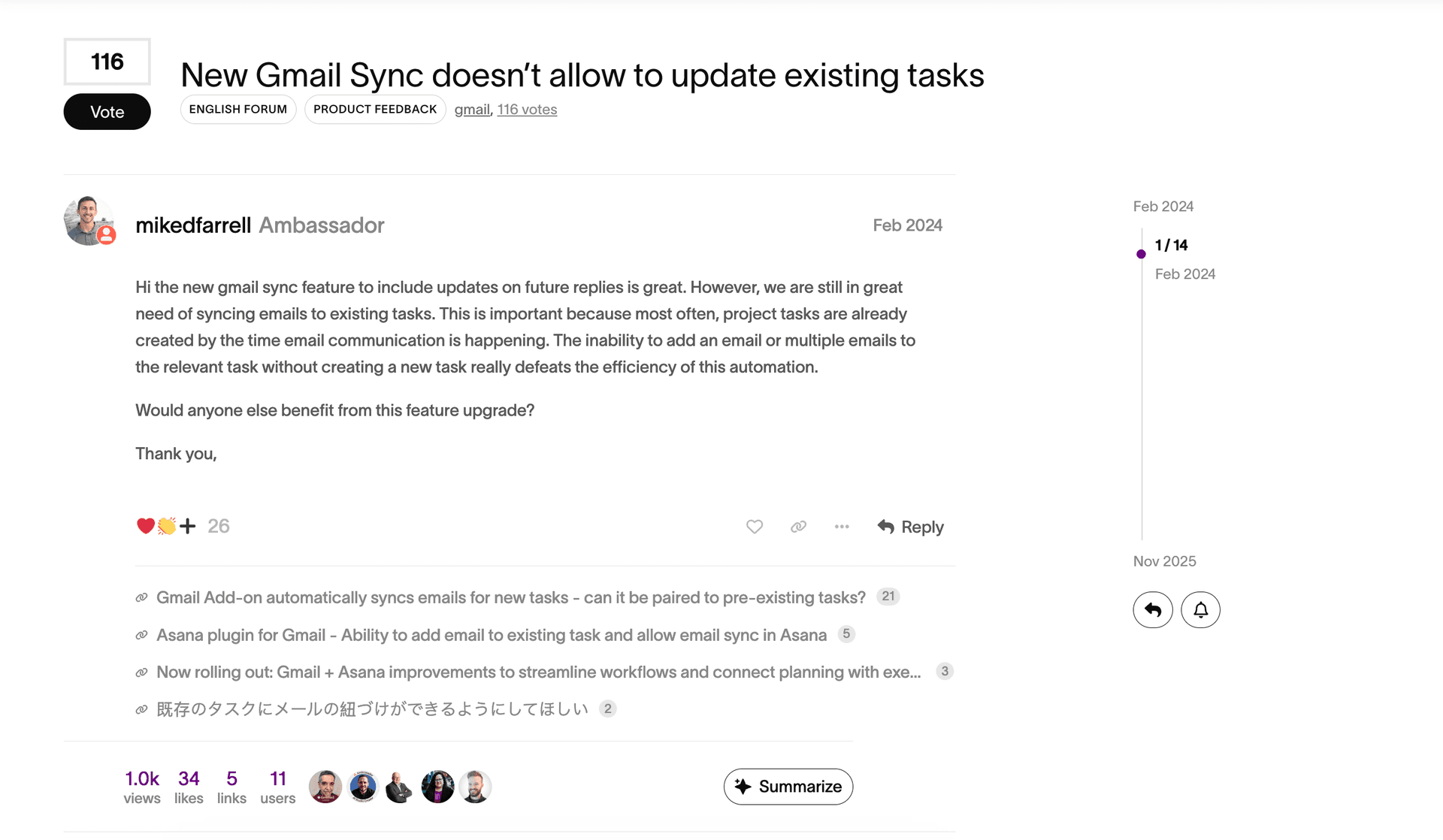
1. Can't Update Existing Tasks
You have a task. Client sends an email about it. Forward it to Asana → new task created. Not added to the existing one.
"Most often, project tasks are already created by the time email communication is happening. The inability to add an email or multiple emails to the relevant task without creating a new task really defeats the efficiency of this automation." — mikedfarrell (Asana Ambassador), February 2024
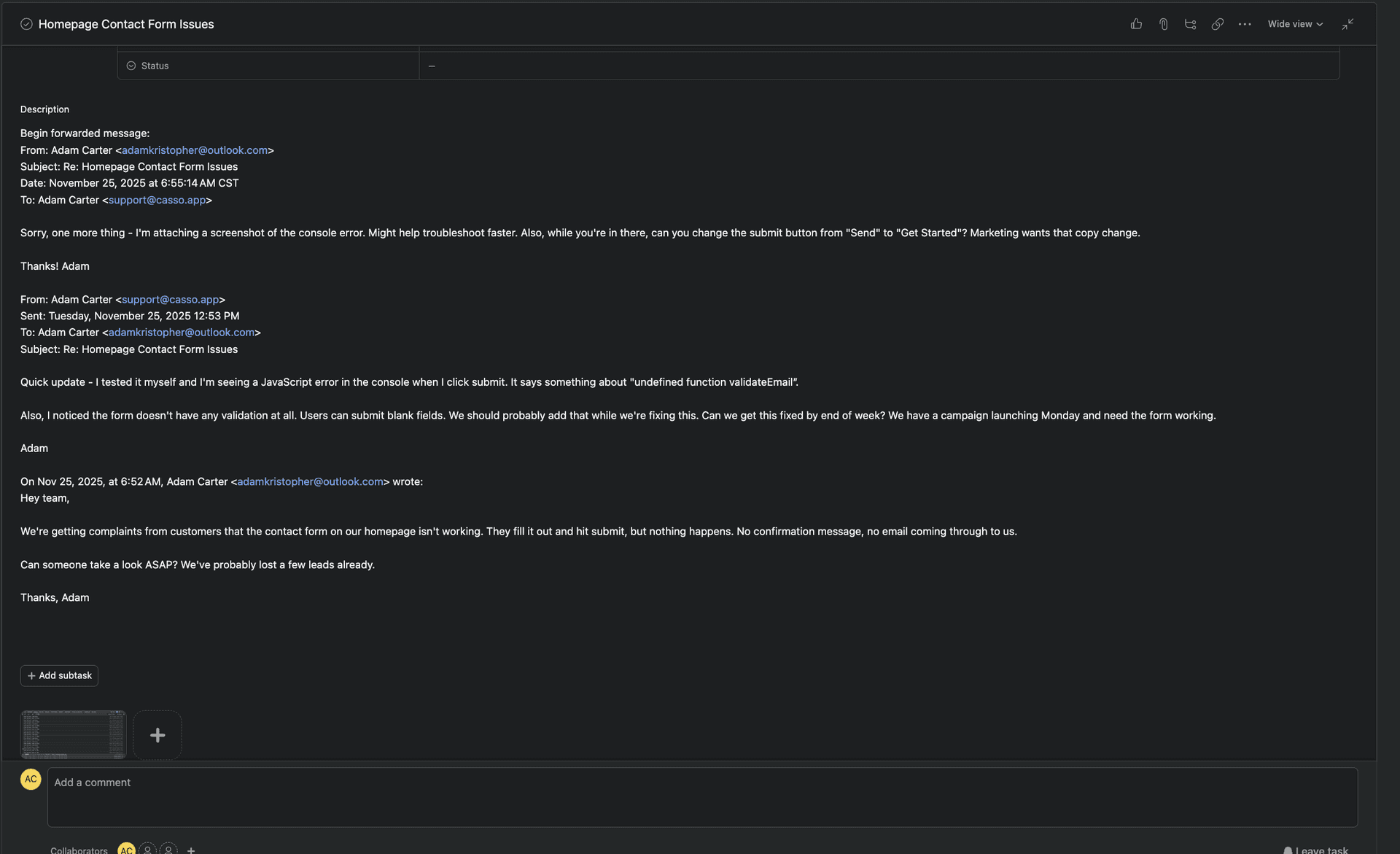
2. Email Threads Dump as a Single Blob
Forward a 10-reply thread → one giant wall of text in the description. No separation between replies. No timestamps. No way to see who said what.
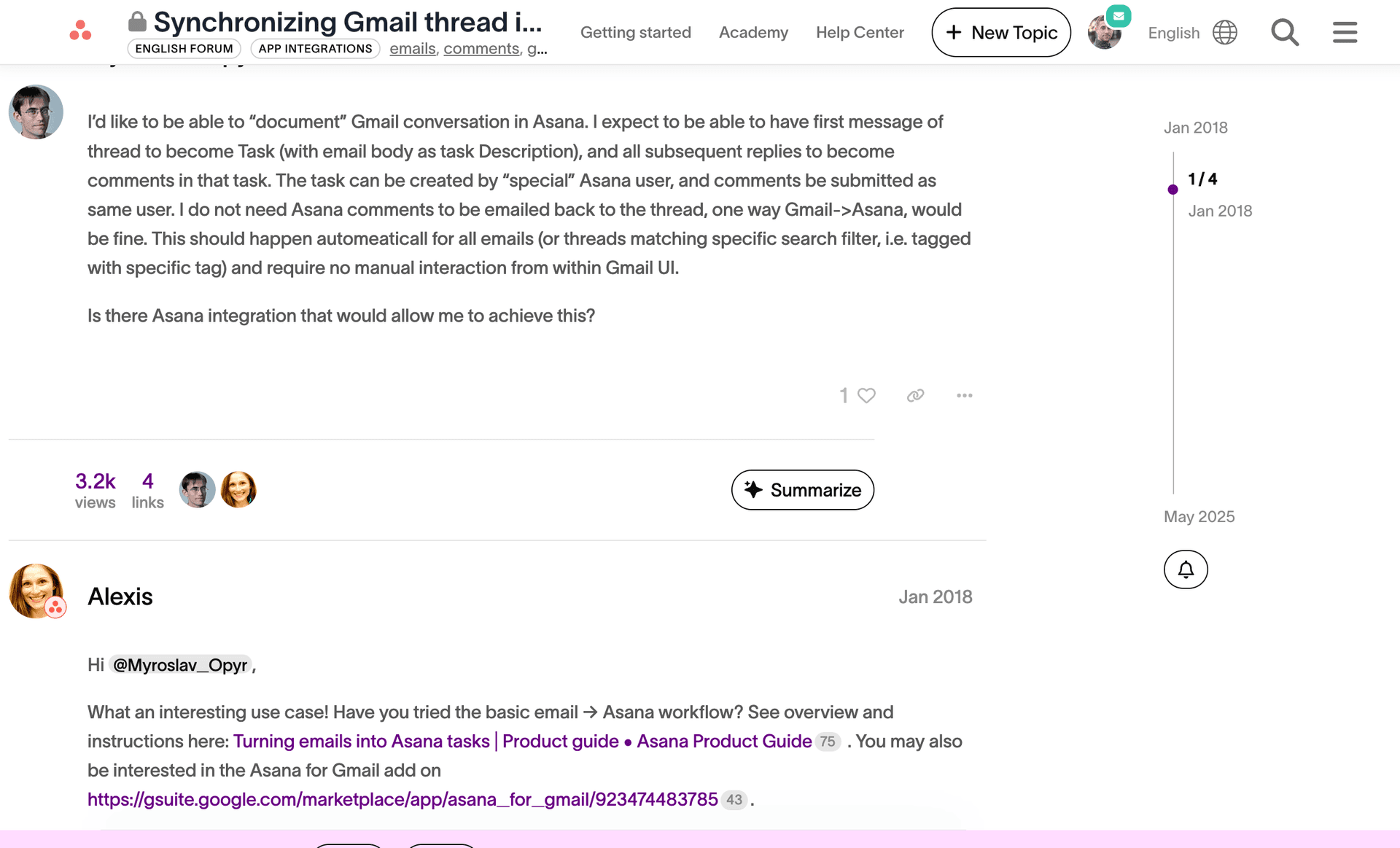
"I expect to be able to have first message of thread to become Task, and all subsequent replies to become comments in that task." — Myroslav_Opyr, Asana Forum, January 2018 (7 years ago, still not implemented)
3. Replies Create Duplicates
Someone replies to the email you forwarded? New task. Reply to that? Another new task. Your project becomes a graveyard of duplicate tasks.
4. No AI Extraction
Due dates mentioned in the email? Manually add them. Priority? Manually set it. Asana doesn't parse email content intelligently.
Native Workarounds (Limited)
The Gmail Add-on "Sync" Feature
Asana's Gmail add-on can sync future replies as comments. But:
- Only works for new threads (not retroactive)
- Only syncs the most recent 5 messages if thread is longer
- Initial thread still not parsed into separate comments
The Hidden Task Email Address Hack
Every task has a secret email address for comments. The problem? Asana doesn't show it anywhere in the UI.
"Even though there is nowhere to click in Asana to see the special email address for a task, that email address DOES exist. To access it... have a team member @mention you in a task. The Reply-To email address is the special email address for commenting on that task." — Bryan_TeamKickstart, Asana Forum
This hack is unreliable and requires someone to @mention you first.
Third-Party Solutions
Flowsana ($2.99/user/month)
- Adds hashtag automation for due dates
- Doesn't solve thread parsing or duplicates
"Flowsana seems like a nice integration... I have two asana organizations with close to 100 in each, and the $2.99/mo/user is about $7000/year." — Jeremy_Levy, Asana Forum
Zapier/Make Workflows
- Can route emails to Asana
- Requires custom setup per workflow
- Still can't parse threads into separate comments
Casso
- Routes to existing tasks (paste Asana URL in subject)
- Parses threads into separate comments
- AI extracts summary, priority, due dates
- Free tier: 10 emails/month
How to Update Existing Asana Tasks from Email (The Fix)
Here's what actually works:
Step 1: Copy the Asana Task URL
Open the task in Asana and copy the URL from your browser (https://app.asana.com/0/...)
Step 2: Paste in Your Email Subject Line
Forward your email to Casso. Put the Asana URL anywhere in the subject.
Step 3: Email Becomes a Comment
Casso extracts the task ID from the URL, adds your email as a comment on that task, and preserves thread history.
For Ongoing Threads
After the first email, Casso gives you a ticket:xxxx ID. Use that in future subject lines instead of the URL. Shorter, same result.
What Casso Creates in Asana
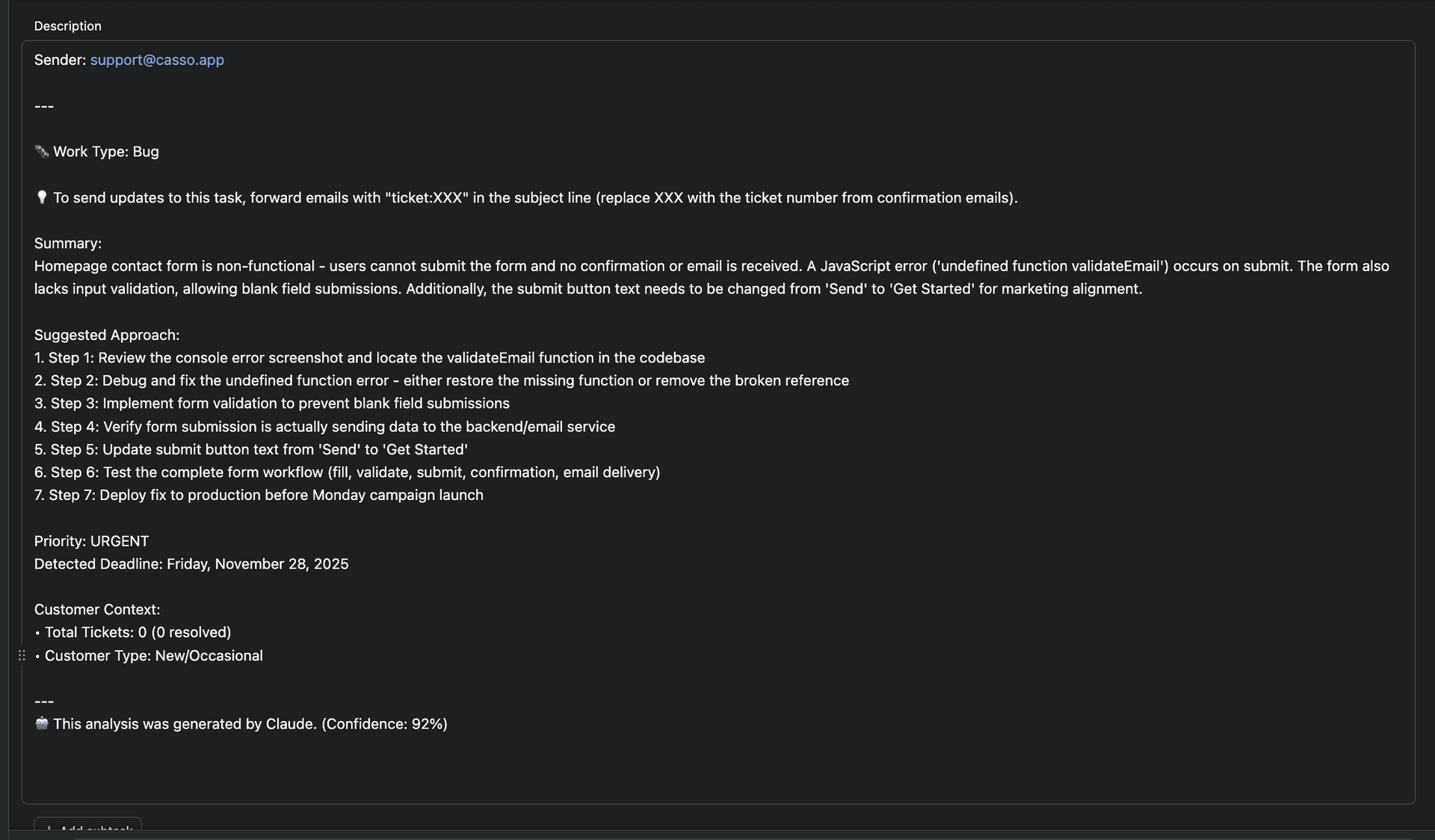
The AI reads your email and generates:
- A real summary (not a dump)
- Extracted deadlines from phrases like "by Friday"
- Priority detection from "ASAP" or "urgent"
- Step-by-step suggested approach
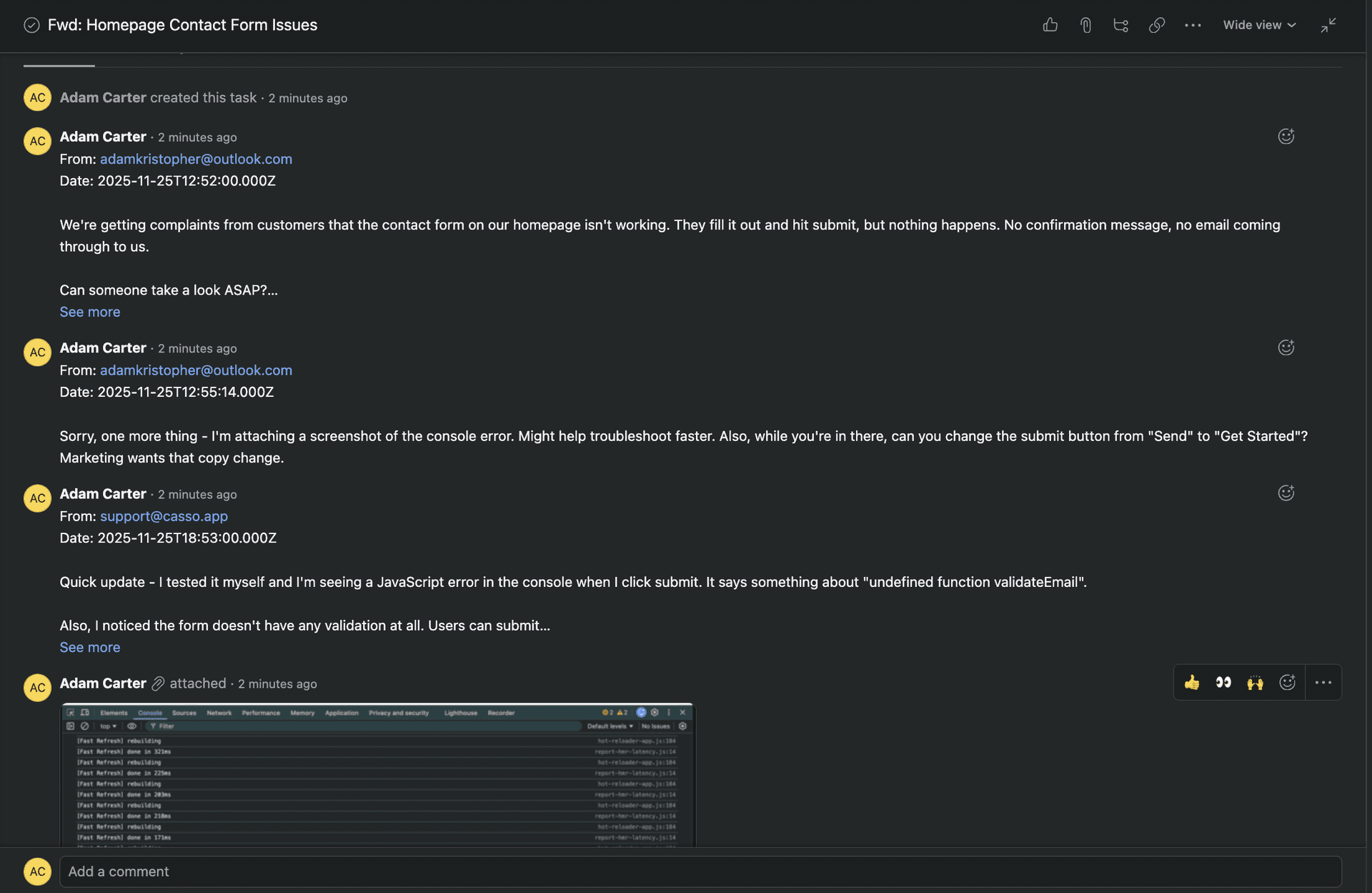
Thread Replies as Separate Comments
Instead of one blob, each email in the thread becomes its own comment with sender, date, and content preserved.
FAQ
Can I add emails to Asana tasks as comments?
Not natively. Asana's email feature only creates new tasks. Use Casso or the hidden reply-to address hack (unreliable).
Why does Asana create duplicate tasks from email replies?
Asana treats each forwarded email as a new task request. It doesn't recognize email threading. Use a ticket ID system to route replies to existing tasks.
Does Asana's Gmail add-on sync email threads?
Partially. It syncs future replies (up to 5 messages) but doesn't parse the initial thread into separate comments.
What's the best way to forward emails to Asana?
For new tasks: Asana's x@mail.asana.com works but dumps threads as blobs with no AI extraction.
For new AND existing tasks with thread parsing: Use Casso. Forward any email to create a task, or include the task URL in subject to update an existing one.
Conclusion
Asana's email-to-task works for basic task creation. For anything involving existing tasks, ongoing threads, or avoiding duplicates, you need a workaround.
The fastest fix: paste your Asana task URL in the subject line when you forward to Casso. Email becomes a comment. No duplicates. No blob dumps.