Jira can create tickets from email. The setup is straightforward for basic use cases. But once you're dealing with email threads, CC recipients, or ongoing conversations, Jira's email handler shows its limits.
This guide covers the setup, the common problems, and the fixes.
How Jira Email-to-Ticket Works
Jira has two main approaches:
Jira Service Management (JSM)
- Built-in email channel
- Customers email support address → ticket created
- Replies add to existing ticket (if threading works)
- Best for external helpdesk use cases
Jira Software (via Mail Handler)
- Configure incoming mail handler
- More technical setup
- Less reliable threading
- Best for internal ticket creation
What Jira Captures
- Subject → Issue summary
- Body → Description (as blob)
- Attachments → Attached to issue
- Sender → Reporter field
### What Jira Supports That Others Don't
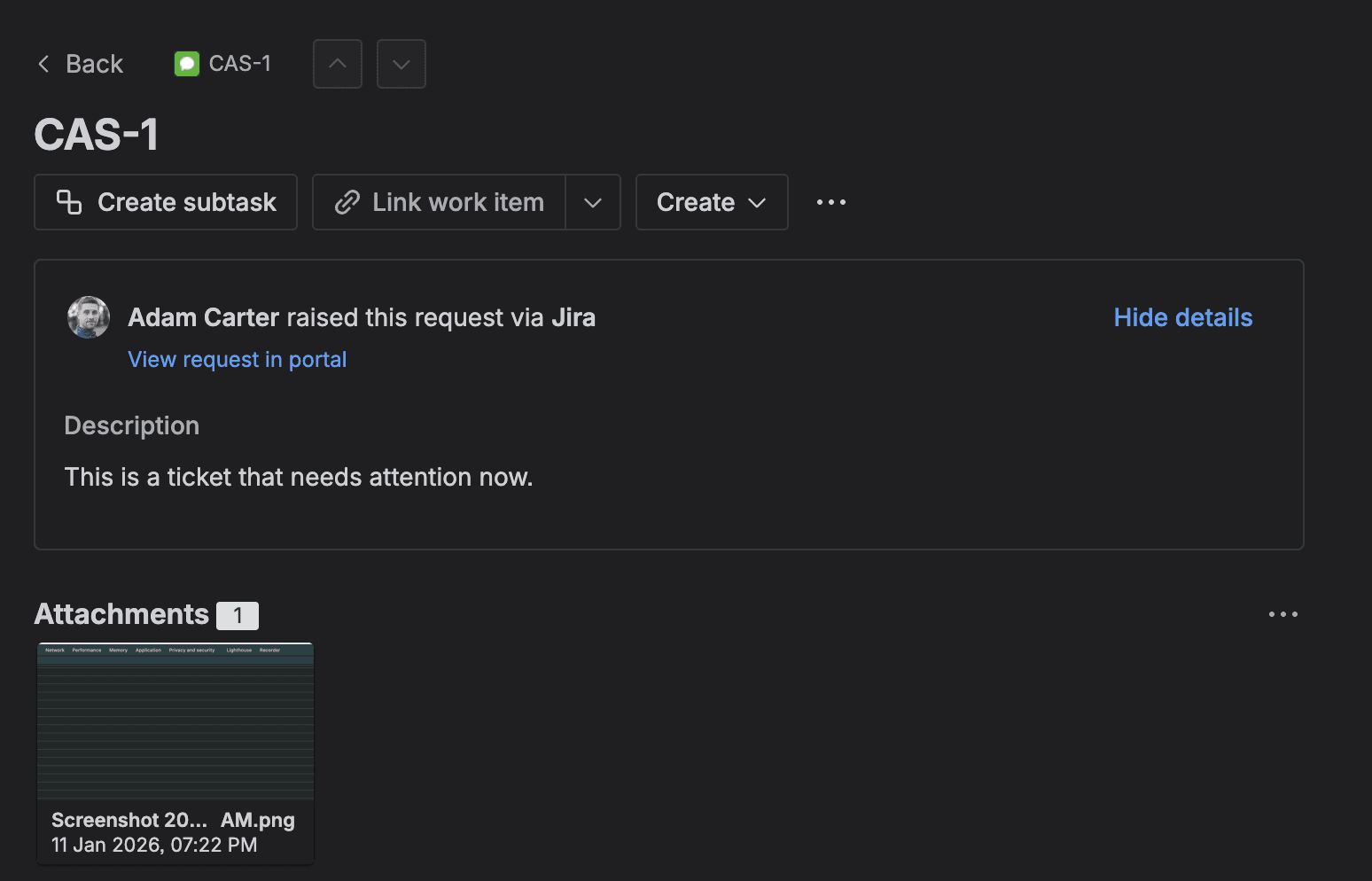
Jira is the only major PM tool that natively supports issue key routing. Put PROJ-123 in your subject line, and Jira routes to that existing issue.
"Update existing issue via issue key in subject: ✅ Yes - documented and supported" — Jira documentation review
The Limitations
1. Strip Quotes Doesn't Actually Parse Threads
Jira's "Strip Quotes" feature sounds like thread parsing. It's not. It just removes lines starting with > or | characters. If the email client formats replies differently, you still get the blob.
"Strip Quotes: Removes quoted text (previous email replies) from incoming emails - regex-based removal, NOT semantic parsing" — Jira documentation
2. Threading Breaks Across Email Clients
JSM relies on email headers (References, In-Reply-To) for threading. When clients strip those headers, replies create new issues.
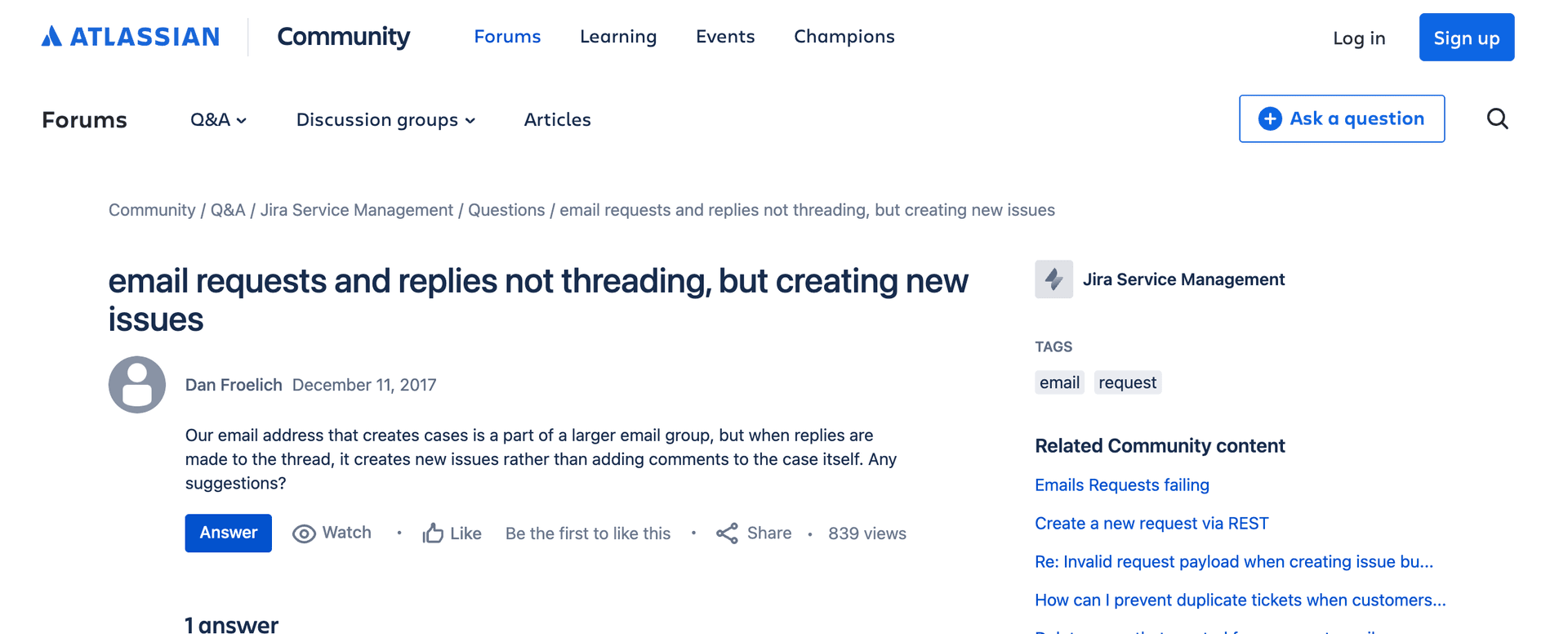
"Creates new issues rather than adding comments to existing ones." — Dan Froelich, Atlassian Community
3. CC Recipients Get Dropped
CC'd people on the original email? Jira doesn't capture them.
"Simply adding the TO/CC field info to the description would solve this situation for us, but I can't see any way to do that." — Jake Sommer, Atlassian Community
"It is surprising this is such an old issue and after so many years it is still not resolved." — Alan Zhang, Atlassian Community (thread from October 2014 - 10+ years)
4. Comments Become Garbage Dumps
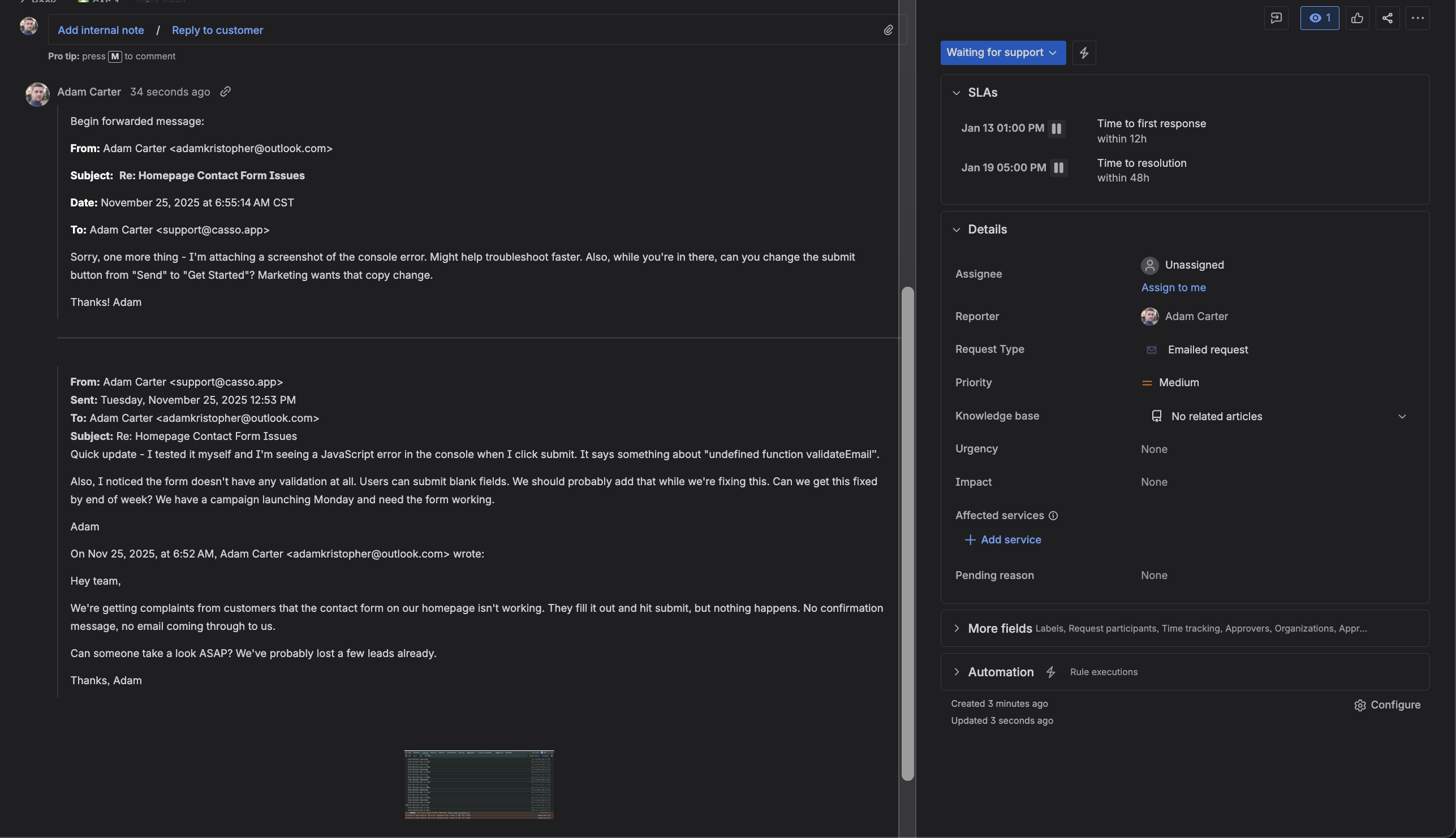
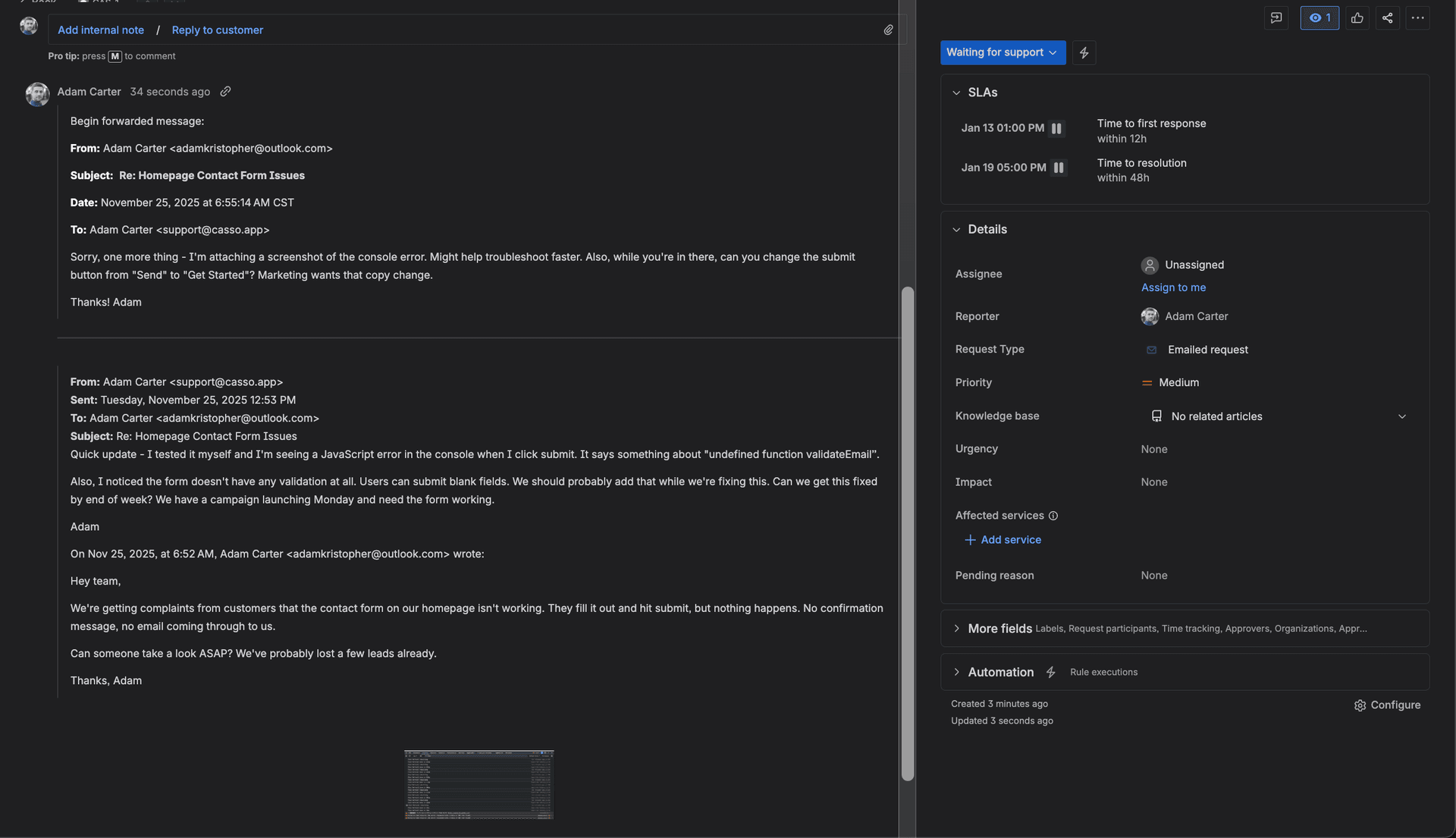
When Strip Quotes fails, comments include quoted text, signatures, email footers, tracking pixels, and everything else.
"It's a little frustrating to have 10 email signatures with images in the comment section." — Danielle Alota, Atlassian Community
Setup Guide: JSM Email Channel
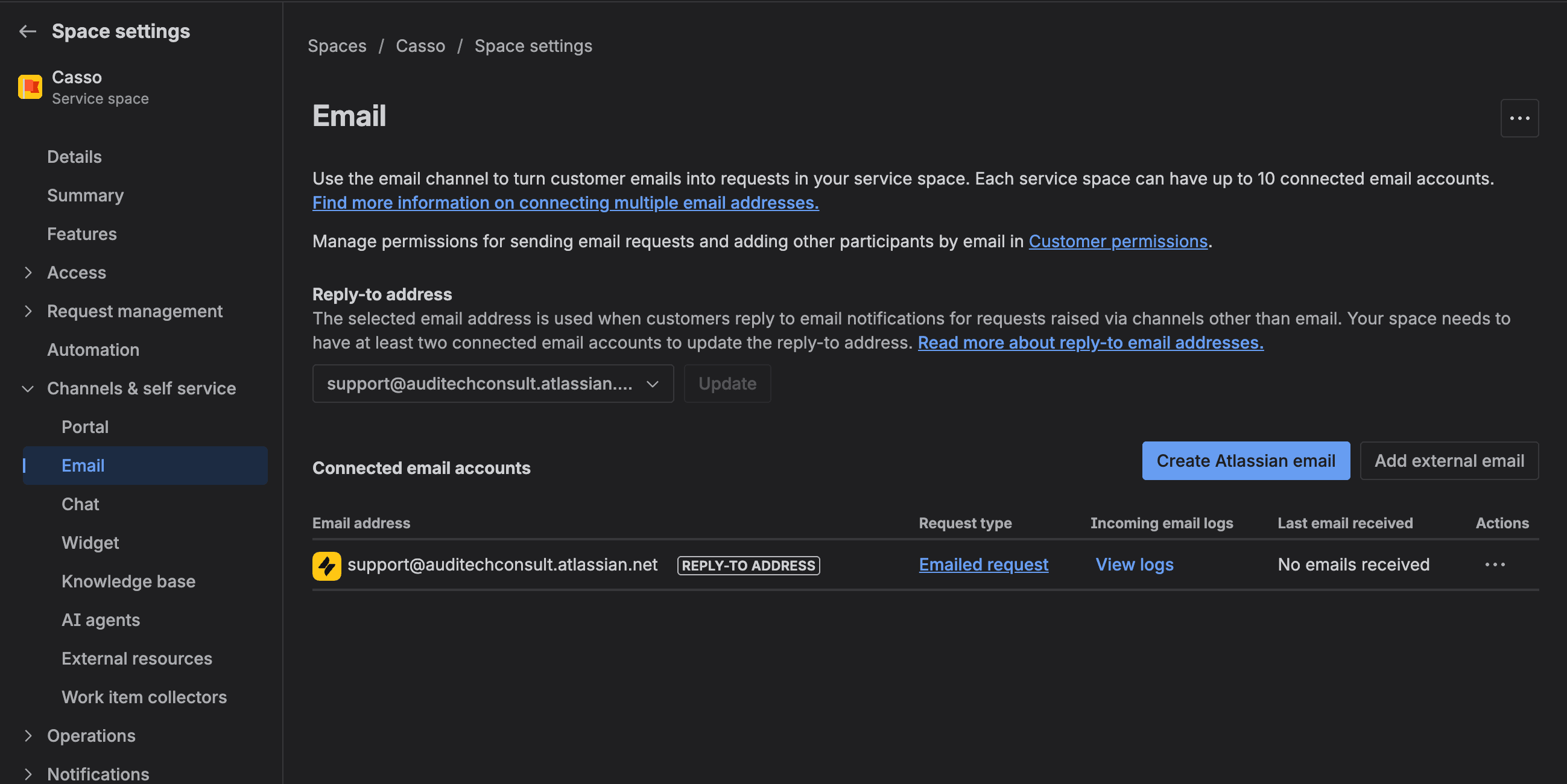
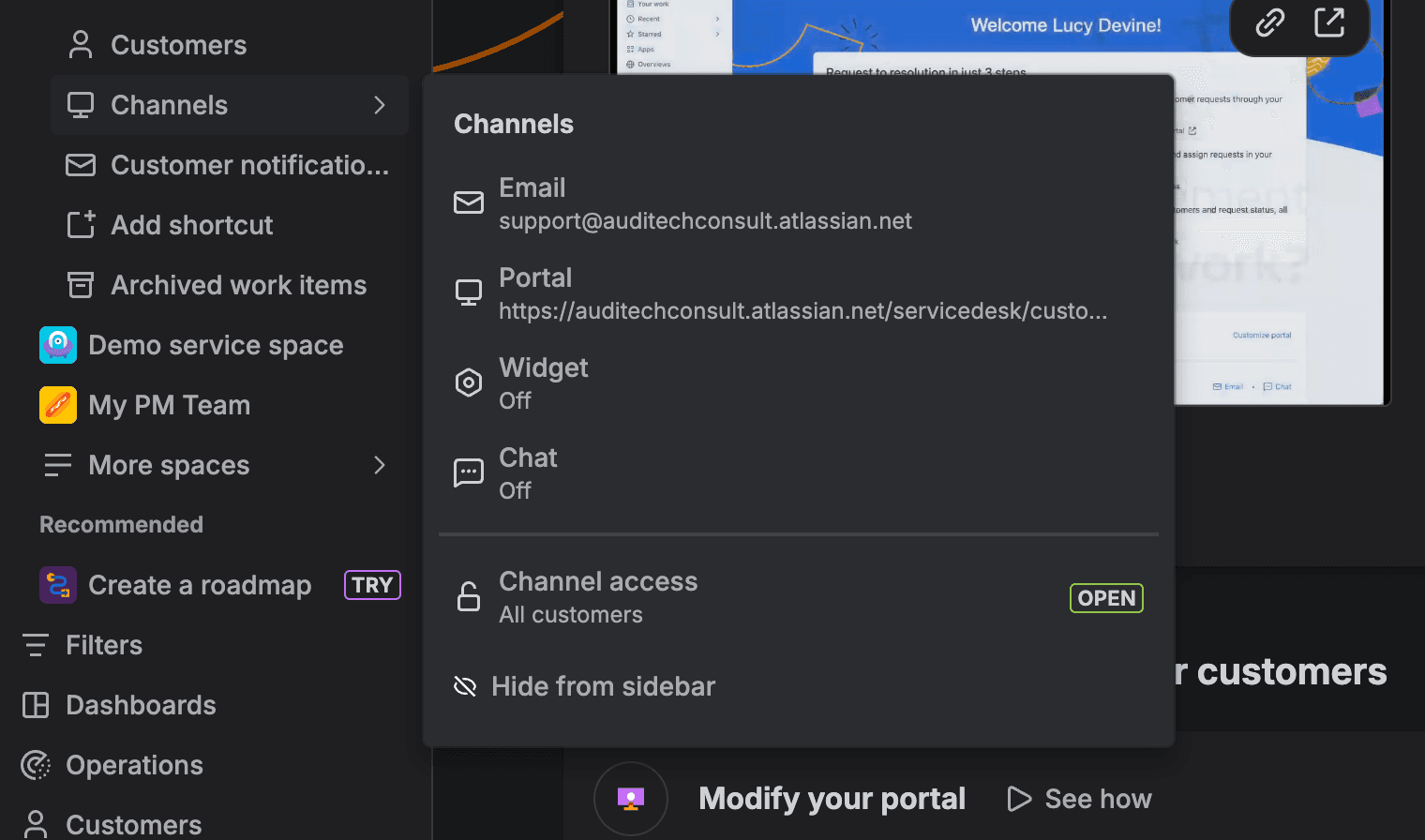
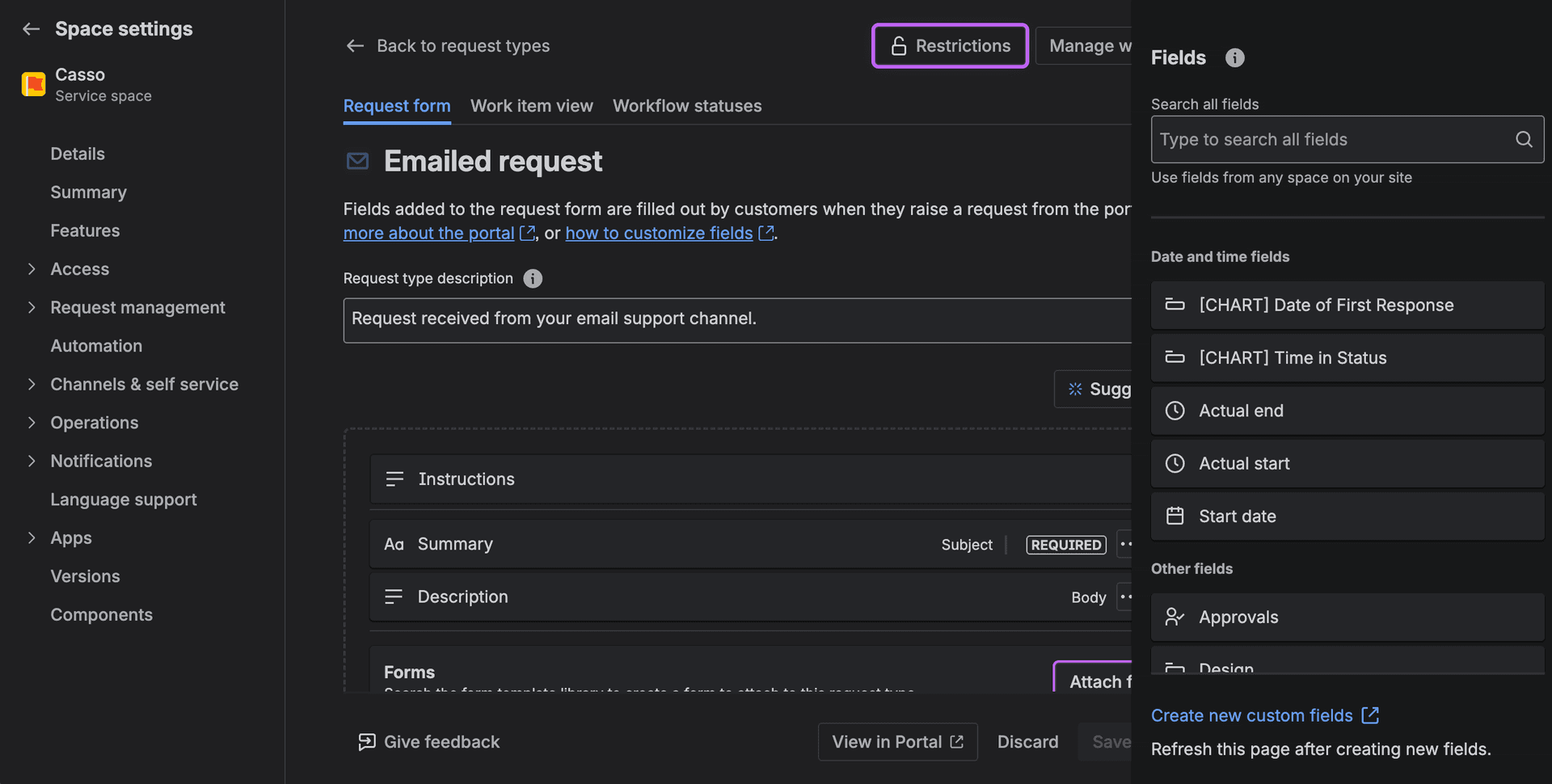
Step 1: Add Email Channel
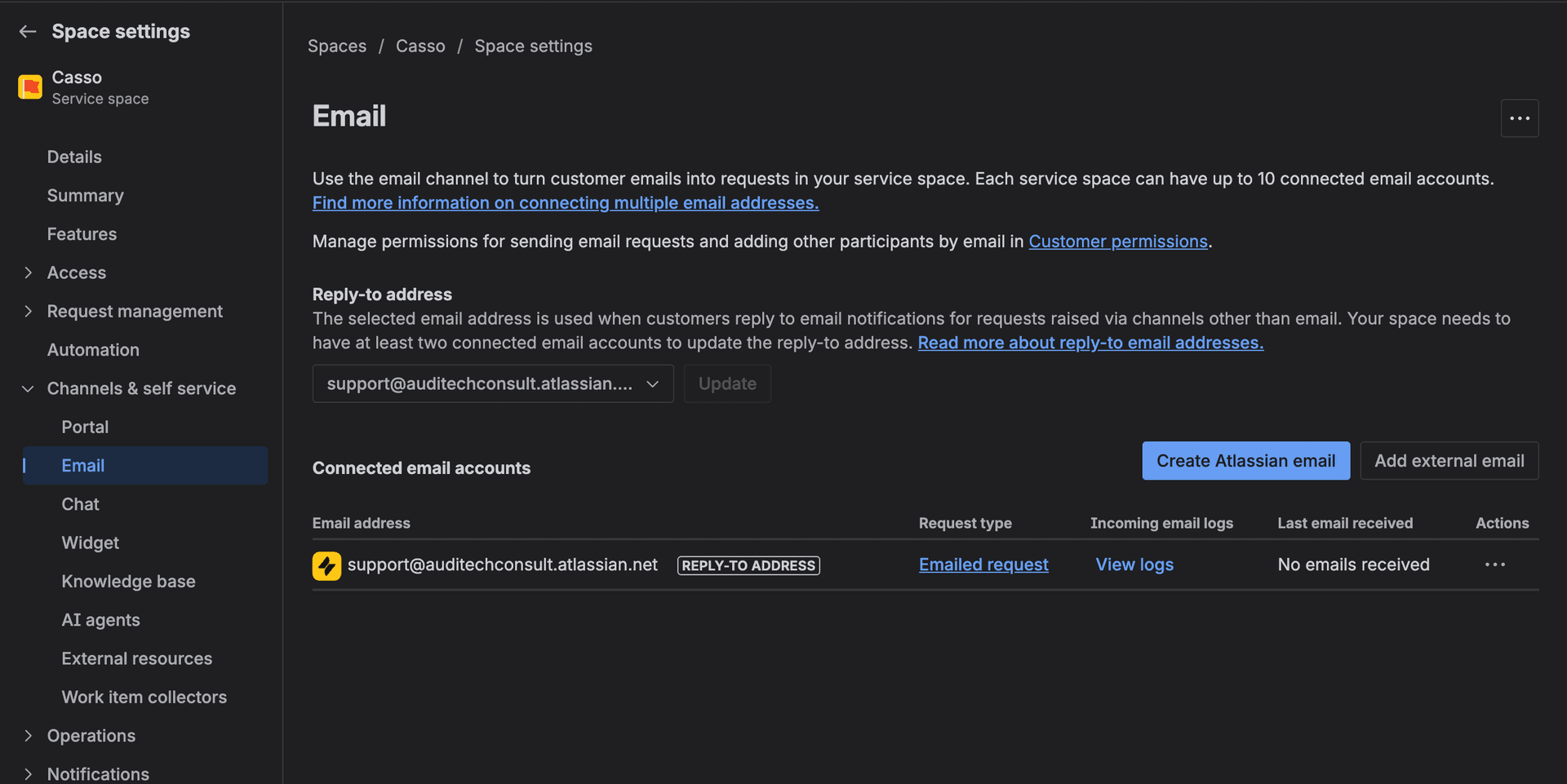
Project settings → Channels → Email → Add your support email address
Step 2: Configure Email Settings
- Set default issue type
- Set default priority
- Enable "Strip Quotes"
Step 3: Set Up Forwarding (If Using External Email)
Forward from your email provider to JSM's email address. Preserve headers for threading.
For Jira Software (Data Center):
Administration → System → Incoming Mail → Add handler. More complex, requires server configuration. See Atlassian docs for server-specific setup.
Fixing Thread Parsing and Duplicates
Option 1: Use Jira's Issue Key Strictly
Train your team and customers to include the issue key (PROJ-123) in every email subject. Replies route correctly.
Limitation: Requires behavior change. Customers won't remember.
Option 2: JSM Virtual Agent
Atlassian's AI add-on can help with routing. Premium tier. Doesn't solve thread parsing.
Option 3: Third-Party Tools
- JEMH (Jira Enterprise Mail Handler) - $10+/user
- More email parsing options
- Better threading logic
- Complex configuration
- Casso - Free tier available
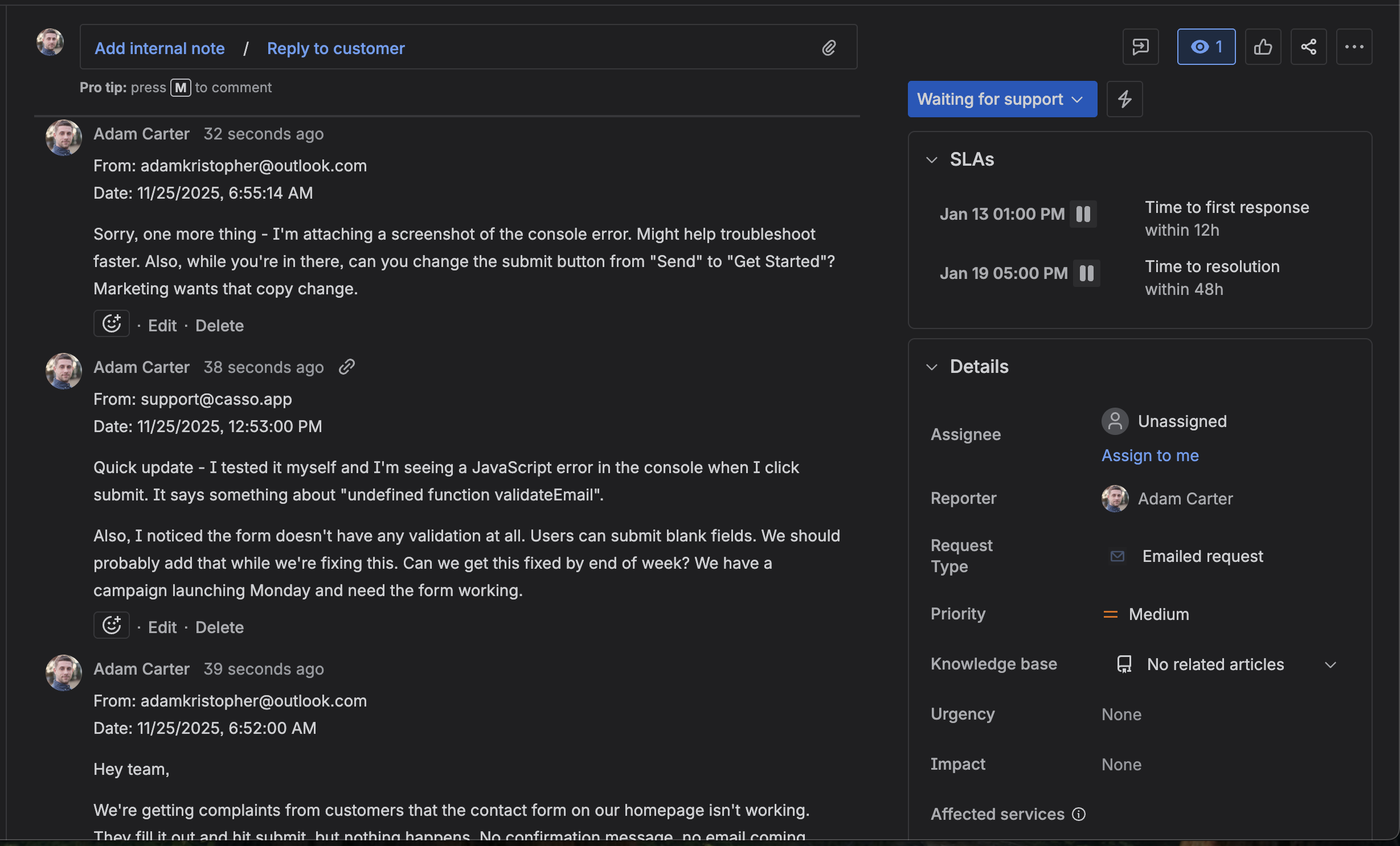
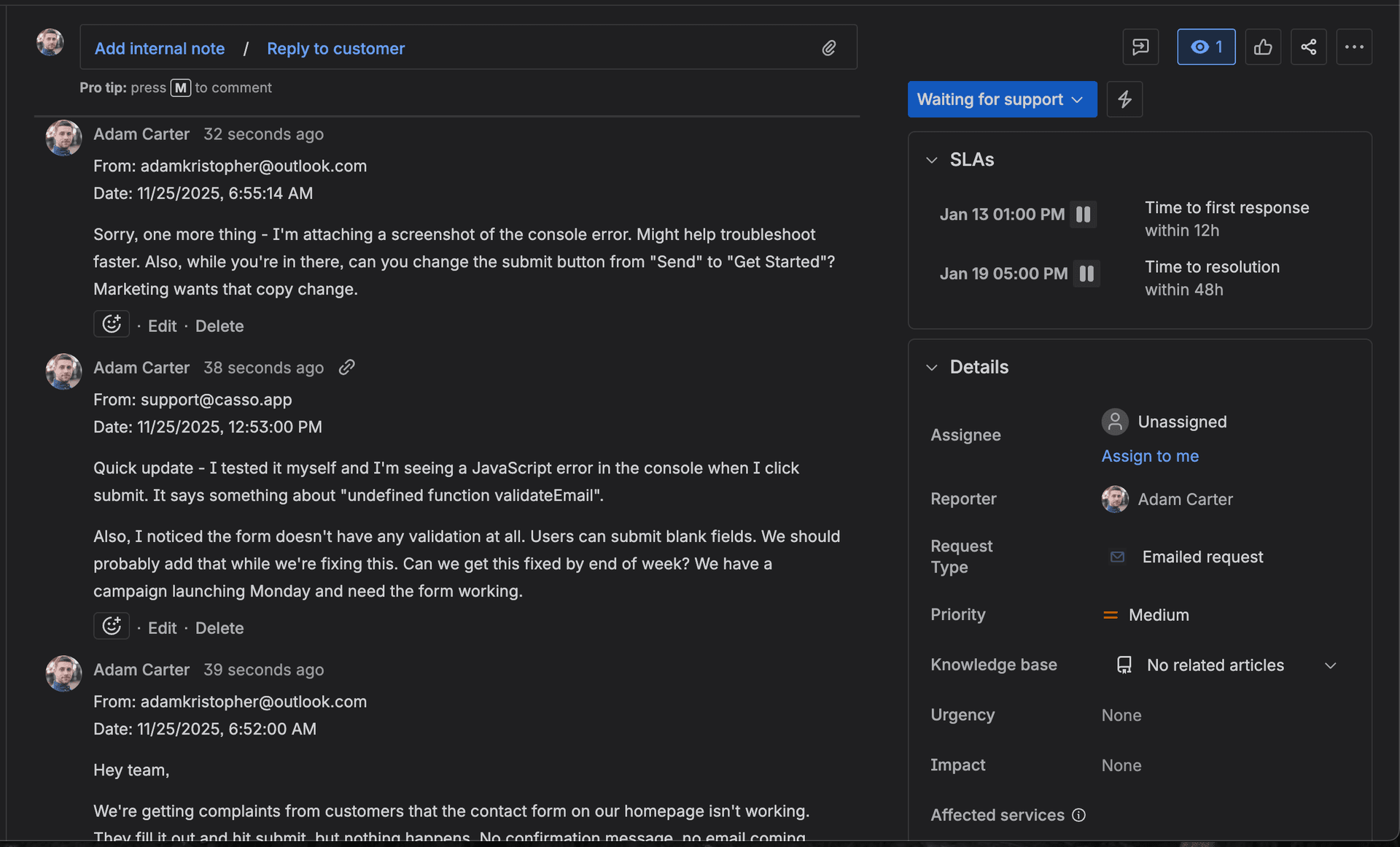
- Parses threads into separate comments
- Captures CC/To headers
- AI summary and priority extraction
- Works alongside existing Jira setup
Same email forwarded to Jira with Casso:
| Feature | Jira Native | Casso |
|---|---|---|
| Create ticket from email | ✅ | ✅ |
| Route to existing ticket | ✅ (issue key) | ✅ (issue key or URL) |
| Thread → separate comments | ❌ | ✅ |
| Capture CC recipients | ❌ | ✅ |
| AI summary | ❌ | ✅ |
FAQ
Can Jira create tickets from Gmail?
Yes, via email forwarding to JSM or using third-party integrations. Native Gmail add-on is limited.
Why do email replies create new Jira issues?
Threading relies on email headers. If your email client strips those headers, Jira can't match replies to existing issues. Include the issue key in subject as a workaround.
Does Jira parse email threads into separate comments?
No. "Strip Quotes" removes quoted text but doesn't separate individual replies. The entire email body goes into one comment.
What's the best way to handle customer support email in Jira?
JSM for basic ticketing. Add Casso if you need thread parsing and CC capture.
Conclusion
Jira's email-to-ticket works for basic helpdesk flows. Issue key routing is useful if people remember to use it. But thread parsing, CC capture, and clean comments require additional tooling.
For teams drowning in email threads that Jira turns into unreadable blobs: try the free tier. Forward an email, see if the output is cleaner.
Try it free — see the difference in thread parsing →
Before: Jira email blob dump !Jira comment showing email blob dump
After: Casso-processed separate comments !Casso parsed email thread into separate Jira comments