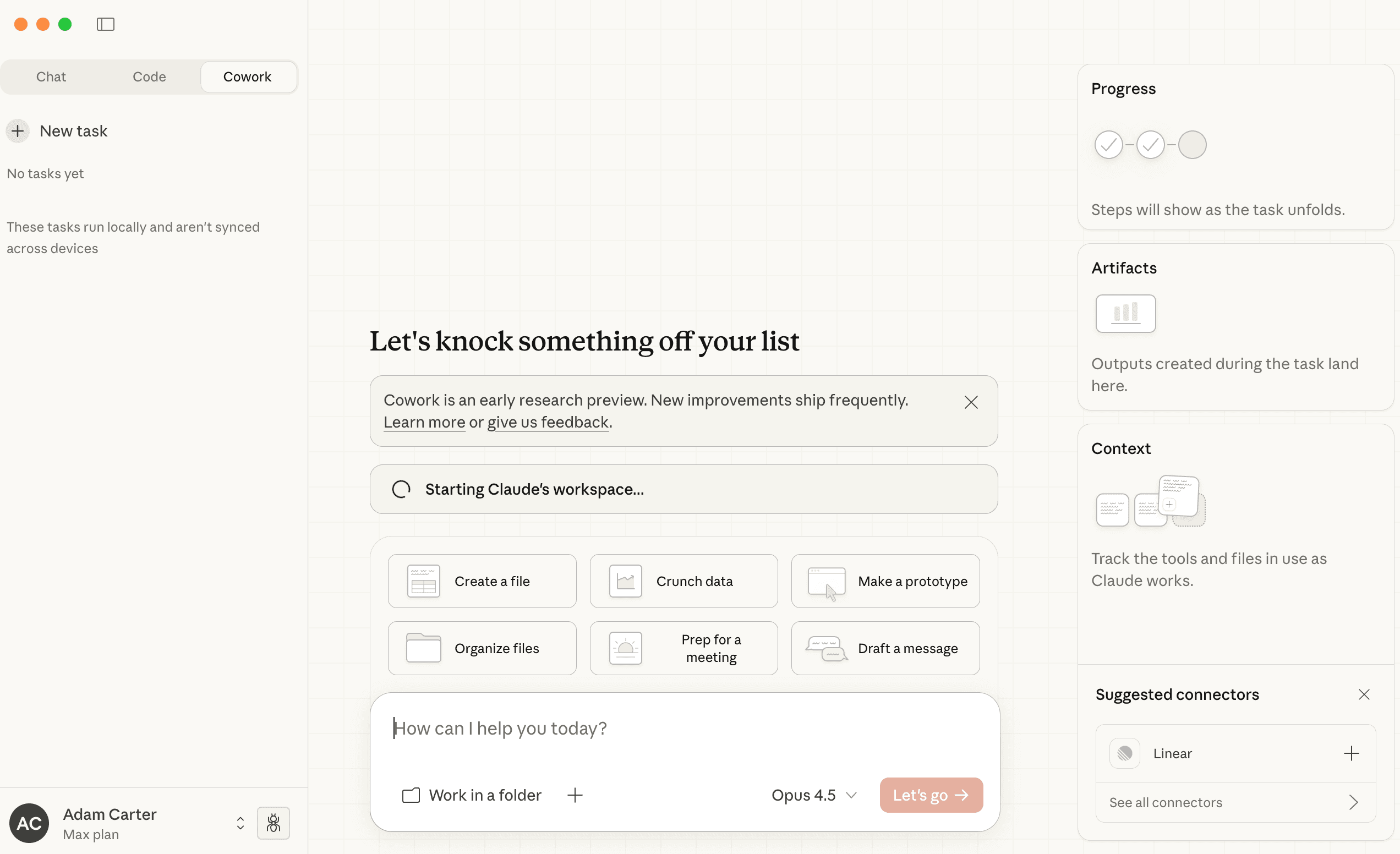
If you're using Claude Cowork on Mac (or Claude Code on PC), you can have Claude pull your Google Analytics data, analyze your SEO performance, and even request re-indexing for updated pages — all without leaving your terminal.
This guide gives you the prompts. You give them to Claude. Claude does the work.
What This Toolkit Does
The GA4 Analytics Toolkit connects Claude to three Google APIs:
- GA4 Analytics — Traffic, pages, events, conversions, real-time data
- Search Console — Search queries, page rankings, device breakdown, country data
- Indexing API — Request re-crawling for updated pages, check index status
Every result gets saved to JSON files automatically. Ask Claude for a summary and it creates a readable markdown report.
Getting Started
1. Clone the Repository
Open Claude Cowork (or Claude Code on PC) and give it this prompt:
Claude will run the git clone and let you know when it's ready.
2. Set Up Google Cloud
You need a Google Cloud project with the right APIs enabled. Don't worry about the steps — Claude knows them.
Claude will guide you through the Google Cloud Console step by step.
3. Create a Service Account
You need a service account to authenticate. Again, let Claude guide you:
Claude will walk you through IAM & Admin → Service Accounts → Create → Download JSON key.
4. Add Service Account to GA4
The service account needs access to your GA4 property.
5. Add Service Account to Search Console
For SEO and indexing features, the service account needs Search Console access too.
6. Configure the Environment
Now set up the credentials in the toolkit:
Claude will ask for your GA4 Property ID (found in GA4 Admin → Property Settings), your service account email, and the private key from your JSON file.
GA4 Analytics
Once setup is complete, you can start analyzing. Here are the prompts for common tasks:
Get a Site Overview
Returns: Page views, traffic sources, user demographics, and top events.
Analyze Traffic Sources
Returns: Breakdown by source/medium, session data, new vs returning users.
See Top Pages
Returns: Top pages with views, sessions, bounce rate, and average session duration.
Check Real-Time Visitors
Returns: Current active users, what pages they're on, and live events.
Compare Time Periods
Returns: Side-by-side comparison of traffic, users, and engagement.
Analyze User Behavior
Returns: Demographics, events, engagement rate, and session duration over time.
Custom Report
Need something specific? Tell Claude what you want:
Search Console SEO
The toolkit also pulls your Search Console data. Same approach — just prompt Claude.
See Top Search Queries
Returns: Keywords driving traffic, with clicks, impressions, CTR, and position.
Analyze Page SEO Performance
Returns: Top pages by clicks with impressions, CTR, and average position.
Device Breakdown
Returns: Performance split by device type (desktop, mobile, tablet).
Country Performance
Returns: Traffic breakdown by country with clicks, impressions, and CTR.
Full SEO Overview
Returns: Combined snapshot of queries, pages, devices, and countries.
Keyword Deep Dive
Returns: Detailed query analysis with device breakdown.
Indexing API
Updated a blog post? Launched a new page? Request re-indexing so Google crawls it faster.
Request Re-Indexing for a URL
Submits the URL to Google's Indexing API for re-crawling.
Check if a URL is Indexed
Returns: Index status, crawl info, and any issues.
Batch Re-Index Multiple URLs
Submits multiple URLs in one batch.
Inspect URL Status
Returns: Detailed inspection including coverage, mobile usability, and rich results.
Combining Data
The real power is combining these tools. Try:
Or:
Or:
Claude will pull from multiple APIs and synthesize the results.
Getting Summaries
All results are saved as JSON files in the results/ folder. To get a human-readable report:
Claude will read the JSON data and write a markdown summary with tables, insights, and recommendations.
Quick Reference
GA4 Analytics Prompts
| Task | Prompt |
|---|---|
| Site overview | "Give me a site overview for the last 30 days" |
| Traffic sources | "Analyze my traffic sources this week" |
| Top pages | "What are my top pages by views?" |
| Real-time data | "Show me real-time active users" |
| Period comparison | "Compare this month to last month" |
| User behavior | "Analyze user engagement patterns" |
Search Console Prompts
| Task | Prompt |
|---|---|
| Top queries | "What are my top search queries?" |
| Page SEO | "Show me SEO performance by page" |
| Device breakdown | "How does mobile vs desktop compare?" |
| Country data | "Which countries drive search traffic?" |
| Full overview | "Give me a Search Console overview" |
Indexing Prompts
| Task | Prompt |
|---|---|
| Re-index URL | "Request re-indexing for [URL]" |
| Check index status | "Check if [URL] is indexed" |
| Batch re-index | "Re-index these URLs: [URL1], [URL2]" |
| URL inspection | "Inspect the index status of [URL]" |
Troubleshooting
If something's not working, Claude can help debug:
Claude will check your configuration, test the connection, and tell you what's wrong.
Requirements
- Node.js 18+
- A Google Cloud project with APIs enabled
- Service account credentials
- GA4 property with service account as Viewer
- Search Console property with service account added (for SEO features)
Claude Cowork runs on Mac. If you're on PC, use Claude Code instead — same prompts work.